Loading
Get Pathway Program Flyers - Byui
How it works
-

Open form follow the instructions
-

Easily sign the form with your finger
-

Send filled & signed form or save
How to fill out the Pathway Program Flyers - Byui online
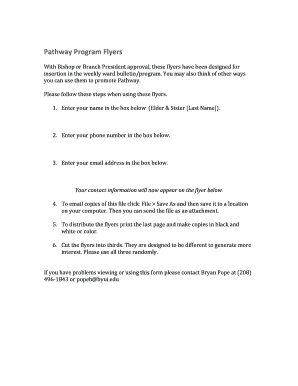
Filling out the Pathway Program Flyers - Byui is a straightforward process designed to promote the Pathway program effectively. This guide will walk you through each section of the form, ensuring you have all the information needed to complete it successfully.
Follow the steps to fill out your flyer effectively.
- To begin, press the ‘Get Form’ button to acquire the Pathway Program Flyers - Byui document and open it in your editing tool.
- Input your name in the designated field labeled 'Elder & Sister [Last Name]'. Ensure your name is spelled correctly as it will appear on the flyer.
- Next, enter your phone number in the provided box. This information is essential for individuals who may wish to contact you.
- Then, input your email address in the specified field. This ensures your contact details are included on the flyer.
- After entering your information, your contact details will automatically display on the flyer template below.
- To save a copy of the flyer, navigate to the file menu, select 'Save As', and choose a location on your device to store the document for future use.
- For distribution, print the final page of the flyer and create copies in either black and white or color, according to your preference.
- Finally, cut the printed flyers into thirds. These sections are designed to vary, promoting greater interest. Distribute them in a randomized manner.
Get started on completing your Pathway Program Flyers online today!
Yes, BYU Pathways offers degree programs that lead to recognized credentials in various fields. Students can earn associate and bachelor's degrees through this innovative online platform. For comprehensive information on degree offerings, refer to our Pathway Program Flyers - Byui.