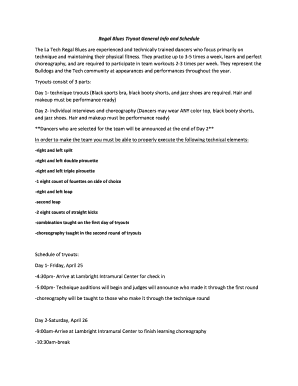
Get La Tech Regal Blues
How it works
-

Open form follow the instructions
-

Easily sign the form with your finger
-

Send filled & signed form or save
How to fill out the La Tech Regal Blues online
This guide provides a comprehensive overview of how to fill out the La Tech Regal Blues application online. Follow these clear instructions to ensure that your submission is complete and meets all requirements.
Follow the steps to successfully complete your application
- Press the ‘Get Form’ button to access the form and open it in a suitable editor.
- Begin by entering your personal information. Fill out your name in the designated spaces for first, middle, and last names. Ensure that all fields are completed accurately.
- Provide your Social Security number, if applicable, and your student ID to verify your status at La Tech.
- Fill in your date of birth, tech address, and home address. This information helps verify your identity and contact information.
- List your phone number and email address for communication regarding the tryout process.
- Indicate your major, classification (like freshman, sophomore), GPA, and ACT score if you are a freshman. This academic information is essential for the application.
- In the case of an emergency, provide contact information for someone who can be reached and describe your relationship to that person. Include their best phone number.
- Report any prior orthopedic injuries or unusual physical conditions that your coach should be aware of. This information ensures the safety and proper training of all dancers.
- Answer the four questions about your current involvements, previous dance experience, ability to cover costs associated with being on the team, and your motivation for wanting to join the Regal Blues.
- Certify that the information you provided is accurate, attach the required documents including a picture, proof of insurance, transcript, and the $25 application fee.
- Complete the signature section and date your application to validate it.
- Finally, save your changes, download the completed form, and consider printing or sharing it as necessary.
Start your application by completing the La Tech Regal Blues form online today!
Related links form
LA Tech operates on a system of four quarters throughout the academic year: fall, winter, spring, and summer. This setup encourages a continuous learning atmosphere that benefits students aiming for academic and professional growth. Each quarter presents new opportunities to advance through courses and engage in extracurricular activities, making it easier to connect with the vibrant campus life associated with La Tech Regal Blues. You will find plenty of options to enhance your education year-round.
Industry-leading security and compliance
-
In businnes since 199725+ years providing professional legal documents.
-
Accredited businessGuarantees that a business meets BBB accreditation standards in the US and Canada.
-
Secured by BraintreeValidated Level 1 PCI DSS compliant payment gateway that accepts most major credit and debit card brands from across the globe.