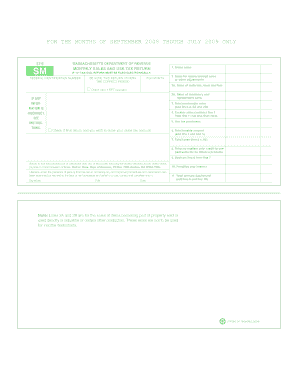
Get Form St 9 Massachusetts
How it works
-

Open form follow the instructions
-

Easily sign the form with your finger
-

Send filled & signed form or save
How to fill out the Form St 9 Massachusetts online
Filling out the Form St 9 for Massachusetts online can be a straightforward process if you follow the right steps. This guide will walk you through each section of the form, ensuring you understand what information is required and how to complete it accurately.
Follow the steps to complete the Form St 9 online.
- Click ‘Get Form’ button to obtain the form and open it in the editor. Make sure you have the correct version of the form for the specified period.
- Identify the federal identification number. Enter this number in the designated field to ensure your return is processed correctly.
- For the month covered by this return, provide the gross sales amount in the relevant section.
- Next, report any sales for resale, exempt sales, or other adjustments in the appropriate field.
- If applicable, indicate sales of materials, tools, and fuel by entering the amount in section 2A.
- Also, if you have sales of machinery and replacement parts, record this information in section 2B.
- Calculate total nontaxable sales by adding lines 2, 2A, and 2B together. Enter this total in the appropriate field.
- Determine your taxable sales by subtracting total nontaxable sales (line 3) from your gross sales (line 1). Ensure this amount is not less than zero.
- List any use tax purchases in the designated area to accurately reflect your tax obligations.
- Calculate the total taxable amount by adding your taxable sales (line 4) and any use tax purchases (line 5). Enter this total.
- To find the total taxes owed, multiply the total taxable amount (line 6) by 0.05. Input this figure in the appropriate section.
- If you are a tobacco retailer, complete section 8 for any credits for prepaid sales tax on tobacco products.
- Subtract line 8 from line 7 to determine the net tax due, which will be recorded on line 9.
- Note any penalties and interest in line 10 as applicable.
- Finally, combine line 9 and line 10 to compute the total amount due or refund on line 11.
- Review your entries for accuracy. Once completed, you can save changes, download, print, or share the form as needed.
Complete your Form St 9 online today for a smooth filing experience.
To apply for sales tax exemption in Massachusetts, start by completing the relevant Form ST 9 Massachusetts, which is essential for claiming any exemption related to resale activities. This form requires you to outline the nature of your business and the types of goods purchased for resale. Once completed, submit this form to your vendor when making purchases, ensuring that they recognize your tax-exempt status. By effectively using Form ST 9, you can navigate the exemption process with ease.