Loading
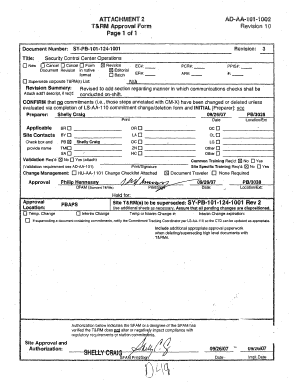
Get T&rm Approval Form, Document Sy-pb-101-124-1001, Revision 3, "security Control Center
How it works
-

Open form follow the instructions
-

Easily sign the form with your finger
-

Send filled & signed form or save
How to fill out the T&RM Approval Form, Document SY-PB-101-124-1001, Revision 3, Security Control Center online
This guide provides users with a clear understanding of how to fill out the T&RM Approval Form, Document SY-PB-101-124-1001, Revision 3, specifically designed for the Security Control Center. Follow the steps below to ensure that your form is completed correctly and efficiently.
Follow the steps to successfully complete the form.
- Press the ‘Get Form’ button to access the T&RM Approval Form online and open it in your editor.
- Begin by entering the document number and title at the top of the form. Ensure accuracy, as this information is crucial for identification purposes.
- In the revision section, select the appropriate revision number, which in this case should reflect 'Revision 3'.
- Review any applicable sections that may need additional information, such as Batch number or related change requests. Specifically, complete the fields for EC#, PCR#, ER#, and AR# if pertinent.
- Fill in the author’s details in the preparer section and confirm their initials. This verification indicates that the information provided has been validated.
- Assess whether validation is required. If yes, check the box and attach any necessary documentation.
- Complete the authorization details at the bottom of the form, which includes a signature and date from the required approving authority.
- Finally, ensure all relevant fields are completed, review the form for accuracy, and then save your changes, download, print, or share the completed form as needed.
Take the first step in your approval process by completing the T&RM Approval Form online today.
3:06 5:30 Numbers. And see where you're spending the most time maybe on which apps who you're texting the mostMoreNumbers. And see where you're spending the most time maybe on which apps who you're texting the most. How much data you've spent. In this billing. Period and in previous billing. Periods.
Industry-leading security and compliance
US Legal Forms protects your data by complying with industry-specific security standards.
-
In businnes since 199725+ years providing professional legal documents.
-
Accredited businessGuarantees that a business meets BBB accreditation standards in the US and Canada.
-
Secured by BraintreeValidated Level 1 PCI DSS compliant payment gateway that accepts most major credit and debit card brands from across the globe.