Loading
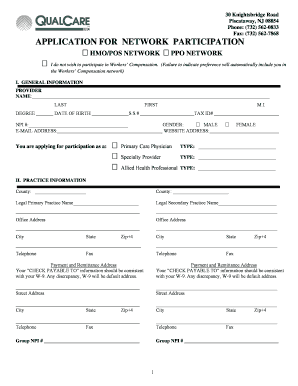
Get Application For Network Participation - Qualcare Inc.
How it works
-

Open form follow the instructions
-

Easily sign the form with your finger
-

Send filled & signed form or save
How to fill out the APPLICATION FOR NETWORK PARTICIPATION - QualCare Inc. online
Completing the Application for Network Participation with QualCare Inc. can be straightforward when you follow the right steps. This guide will provide clear instructions to help you navigate each section of the form effectively, ensuring that your application is submitted accurately and efficiently.
Follow the steps to fill out the application correctly.
- Press the ‘Get Form’ button to access the APPLICATION FOR NETWORK PARTICIPATION - QualCare Inc. and open it for editing.
- Fill in the general information section, including your name, date of birth, social security number, tax ID number, and NPI number. Make sure all information is accurate and matches your official documents.
- Indicate whether you prefer to participate as a Primary Care Physician, Specialty Provider, or Allied Health Professional by selecting the appropriate checkbox.
- Complete the practice information section by providing your current practice name, address, and contact information. If applicable, include information for a secondary practice.
- Provide details about your payment and remittance address. Ensure that this information matches your W-9 form to avoid discrepancies.
- List information about any partners or associates, and any ancillary providers associated with your practice. If necessary, attach additional sheets with this information.
- In the medical license information section, enter your license details, including the state, expiration, and any DEA or Medicare numbers.
- Complete the education and training section. You can either fill this out or attach your curriculum vitae, covering your academic background and work history.
- Document your hospital affiliations along with the type of privileges you hold at each institution.
- Provide information regarding your professional affiliations, liabilities, and any pending litigation. Remember to include explanations for any 'yes' responses.
- In the credentials verification section, ensure you sign and date the application, confirming that all information provided is accurate.
- Once all sections are completed, review the application for accuracy, save your changes, and prepare to download, print, or share your completed form.
Start filling out your APPLICATION FOR NETWORK PARTICIPATION - QualCare Inc. online today!
For inquiries regarding your claim status, you can reach the QualCare IPA provider services at their dedicated support phone number. Checking the claim status is crucial for managing your reimbursements and understanding the application for network participation. You can find the contact information right on the QualCare website.