Loading
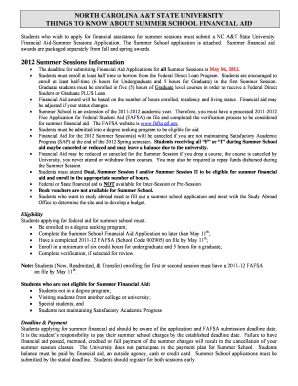
Get Ebill Ncat
How it works
-

Open form follow the instructions
-

Easily sign the form with your finger
-

Send filled & signed form or save
How to fill out the Ebill Ncat online
This guide provides essential information on how to successfully complete the Ebill Ncat online. By following the step-by-step instructions, users will gain a clear understanding of each section of the form and ensure a smooth submission process.
Follow the steps to fill out the Ebill Ncat online.
- Click ‘Get Form’ button to access the Ebill Ncat document and open it in the designated editor.
- Begin filling out your personal information in the designated fields. Enter your first name, last name, middle initial, and banner ID accurately.
- Provide your current campus or local address, ensuring to include the city, state, and zip code, along with a valid telephone number.
- If your summer address differs from your current address, fill out the relevant fields to indicate your summer address.
- Specify your academic status by selecting either 'Undergraduate' or 'Graduate'. Enter your NCAT email address for correspondence regarding your financial aid status.
- Indicate your intention to attend either the first session, second session, or both, and fill in the anticipated hours of enrollment for each session.
- Answer whether you have completed a 2011-2012 FAFSA by selecting 'Yes' or 'No'. If 'No', ensure to apply online at the FAFSA website as advised.
- Choose your housing preference for the summer sessions, selecting between campus housing, off-campus, or living with parents or relatives.
- If applicable, indicate your participation in a Study Abroad program, providing the starting and ending dates of the program.
- In the final section, review all provided information for accuracy before signing and dating the application to certify that the information is complete.
Start completing your Ebill Ncat online today to ensure you meet all necessary deadlines!
Filling up a billing statement is straightforward when you use the UsLegalForms platform. Start by locating the billing statement template under the eBill Ncat feature. Enter the necessary information, including the billing period and the services provided. Make sure to double-check all entries for accuracy before saving or printing your completed billing statement.
Industry-leading security and compliance
US Legal Forms protects your data by complying with industry-specific security standards.
-
In businnes since 199725+ years providing professional legal documents.
-
Accredited businessGuarantees that a business meets BBB accreditation standards in the US and Canada.
-
Secured by BraintreeValidated Level 1 PCI DSS compliant payment gateway that accepts most major credit and debit card brands from across the globe.