Loading
Get 2014 Va Tax Form 200
How it works
-

Open form follow the instructions
-

Easily sign the form with your finger
-

Send filled & signed form or save
How to fill out the 2014 Va Tax Form 200 online
Filling out the 2014 Virginia Litter Tax Form 200 online is essential for businesses operating in Virginia. This guide provides step-by-step instructions to ensure you complete the form accurately and efficiently.
Follow the steps to successfully complete the form.
- Click ‘Get Form’ button to acquire the form and access it in your preferred editing platform.
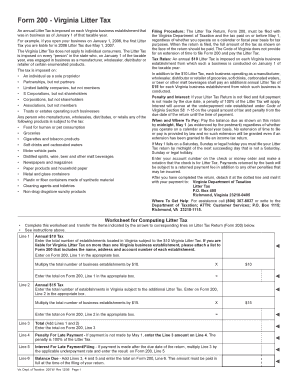
- Begin with Line 1. Enter the total number of establishments in Virginia subject to the annual $10 Virginia Litter Tax. Attach a list of each establishment if multiple.
- Multiply the total number of business establishments from Line 1 by $10 and enter the result in the appropriate box on Form 200.
- Proceed to Line 2. Enter the total number of establishments liable for the additional $15 Litter Tax.
- Multiply the number from Line 2 by $15 and input this total in the correct box on Form 200.
- Add the totals from Lines 1 and 2 to find the Total on Line 3, and enter this value.
- For Line 4, if your payment was late, enter the amount from Line 3 as the penalty, which is 100% of the Litter Tax.
- Calculate Line 5 for any interest on late payments by multiplying the amount on Line 3 by the applicable underpayment rate.
- Finally, determine the Balance Due by adding Lines 3, 4, and 5, and enter that total on Line 6.
- Once all fields are completed, save the changes you made, and prepare to either download, print, or share the Form 200 as needed.
Complete your Litter Tax Form 200 online today to ensure compliance and avoid penalties.
You can obtain VA state tax forms from the Virginia Department of Taxation's official website. They provide easy access to all tax forms, including commonly used ones like the 2014 VA Tax Form 200. Additionally, local government offices often have printed versions available for residents needing to file their state taxes.