Loading
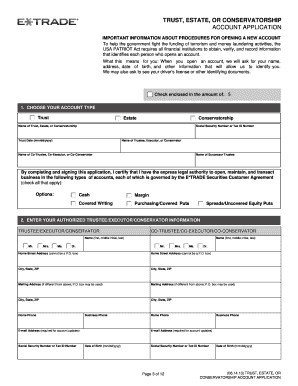
Get Etrade Com Custagree
How it works
-

Open form follow the instructions
-

Easily sign the form with your finger
-

Send filled & signed form or save
How to fill out the Etrade Com Custagree online
Completing the Etrade Com Custagree online is an essential step for managing trust, estate, or conservatorship accounts. This guide provides clear instructions to help you navigate through the form effortlessly.
Follow the steps to fill out the Etrade Com Custagree online.
- Press the ‘Get Form’ button to access the Etrade Com Custagree, opening it in your document editor.
- Scroll down through the form and begin typing in the required information for each field. Ensure all pertinent information is accurately entered.
- After you have filled out all necessary fields, review the application carefully to confirm that it is complete.
- When satisfied with your application, click the button on the top toolbar to print it.
- Sign and date your application, ensuring you include any additional documentation required that corresponds to your account type.
- Finally, send your signed application and any required attachments to the appropriate address provided in the form instructions.
Complete your Etrade Com Custagree online today to manage your account efficiently.
Etrade does not operate on weekends for market trading. Standard trading hours apply during the weekdays only. However, users can access their accounts to review their portfolios and plan trades for the upcoming week. To stay updated, check Etrade's platform for any announcements regarding weekend trading opportunities.