Loading
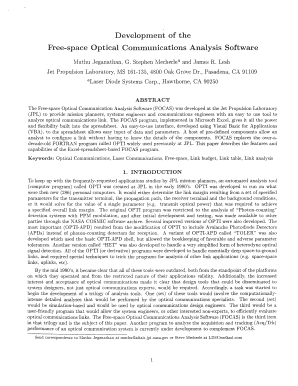
Get Excel Space Optical Communication Analysis Software Form
How it works
-

Open form follow the instructions
-

Easily sign the form with your finger
-

Send filled & signed form or save
How to fill out the Excel Space Optical Communication Analysis Software Form online
Filling out the Excel Space Optical Communication Analysis Software Form is a vital step for engineers and mission planners involved in optical communications analysis. This guide provides clear and comprehensive instructions to assist users in successfully completing the form online.
Follow the steps to fill out the Excel Space Optical Communication Analysis Software Form.
- Press the ‘Get Form’ button to obtain the Excel Space Optical Communication Analysis Software Form and open it for editing.
- Begin by familiarizing yourself with the block diagram view displayed when the form opens. This view contains buttons representing different components of your optical communication link.
- Click on the buttons corresponding to the transmitter components on the left side of the diagram to view and edit parameters associated with those components.
- Next, work with the buttons on the right side to configure the receiver components in a similar manner.
- Use the central buttons to access and adjust link and channel parameters. Ensure all settings meet the minimum and maximum allowed values to avoid errors.
- Once all parameters are set, click the ‘Go to Link Table’ button. This will bring up a new spreadsheet displaying the input parameters and calculated values.
- Review the Link Summary section for an overview of your link, then check the Detailed Link section for in-depth information including calculations and potential errors.
- Make any necessary adjustments to parameters displayed in green directly within the Link Table spreadsheet to see updates in real-time.
- After confirming all information is accurate and to your satisfaction, users can save changes, download, print, or share the completed form.
Get started with filling out your Excel Space Optical Communication Analysis Software Form online today!
Using OCR in Excel allows you to convert scanned documents into editable text. This feature can be particularly beneficial when incorporating data into your Excel Space Optical Communication Analysis Software Form. With OCR, you ensure that all relevant information is easily accessible and up to date for better analysis.
Industry-leading security and compliance
US Legal Forms protects your data by complying with industry-specific security standards.
-
In businnes since 199725+ years providing professional legal documents.
-
Accredited businessGuarantees that a business meets BBB accreditation standards in the US and Canada.
-
Secured by BraintreeValidated Level 1 PCI DSS compliant payment gateway that accepts most major credit and debit card brands from across the globe.