Loading
Get Ri60
How it works
-

Open form follow the instructions
-

Easily sign the form with your finger
-

Send filled & signed form or save
How to fill out the Ri60 online
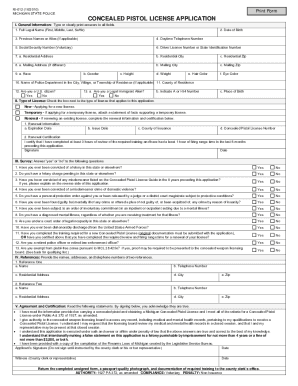
The Ri60 form is essential for individuals applying to purchase a pistol with a Concealed Pistol License in Michigan. This guide will provide you with clear, step-by-step instructions on how to complete the Ri60 form effectively and accurately.
Follow the steps to successfully complete the Ri60 form.
- Click 'Get Form' button to obtain the Ri60 form and open it in the editor.
- Fill out the General Information section, ensuring to provide your full legal name, date of birth, contact information, and identification details.
- Complete the Type of License section by checking the appropriate box that applies to your application: New, Temporary, or Renewal.
- In the Survey section, answer each question truthfully with 'Yes' or 'No', as these pertain to your eligibility for the license.
- Provide details of two references in the References section, including their names, contact information, and addresses.
- Review the Agreement and Certification statements carefully. Once you confirm that all information is accurate, sign and date the application.
- Submit the completed unsigned Ri60 form, along with your passport-quality photograph and any required training documentation, to the county clerk’s office.
Complete your Ri60 form online today and ensure all necessary documents are submitted for a smooth application process.
If you forgot to register your pistol in Michigan, you may face fines and legal issues. It's important to know that forgetting to register can still lead to complications, especially if your firearm becomes involved in a legal incident. Taking steps to register as soon as possible can help mitigate these risks. Tools like Ri60 can guide you in rectifying this situation effectively.