Loading
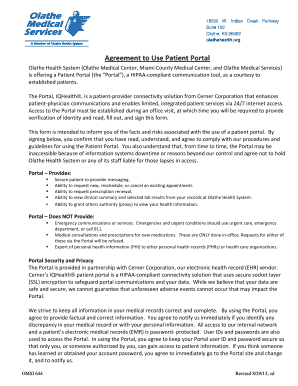
Get Olathe Health Portal
How it works
-

Open form follow the instructions
-

Easily sign the form with your finger
-

Send filled & signed form or save
How to fill out the Olathe Health Portal online
The Olathe Health Portal is a user-friendly tool designed for established patients to enhance communication with their healthcare providers. This guide provides clear instructions on how to complete the necessary form to gain access to the portal.
Follow the steps to successfully fill out the form
- Click ‘Get Form’ button to obtain the form and access it for completion.
- Begin by entering your email address. Ensure it is valid so you can receive crucial communications from the portal.
- Print your name as it appears on your official documents to confirm your identity.
- Provide your date of birth in the specified format to further verify your identity.
- Complete the address section by filling in your street address, city, and zip code accurately.
- If you are signing on behalf of the patient, print your name in the designated area for any parent, guardian, or authorized representative.
- Sign the form to acknowledge that you have read and understood the terms associated with the portal's use.
- Once the form is completed, review your entries for accuracy before finalizing.
- Save or print the completed form for your records. Ensure to share the signed form as instructed.
Get started now by completing your form online!
You can contact Olathe Health through several methods, including phone, email, and online forms. For specific inquiries, consider using the contact information found on the Olathe Health Portal. This resource provides easy access to support and answers to your questions.