Get Irs Publication 5436 (en-sp) 2020-2026
How it works
-

Open form follow the instructions
-

Easily sign the form with your finger
-

Send filled & signed form or save
How to fill out the IRS Publication 5436 (EN-SP) online
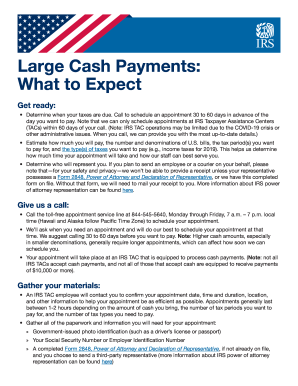
This guide provides clear instructions for users looking to complete the IRS Publication 5436 (EN-SP) online. Whether you have prior experience or are new to the process, this comprehensive resource will help you navigate each section with confidence.
Follow the steps to successfully complete the IRS Publication 5436 (EN-SP) online.
- Click ‘Get Form’ button to obtain the form and open it in your selected editor.
- Review the general instructions provided in the form to familiarize yourself with its components.
- Begin filling out the personal information section. Enter your full name, mailing address, and contact information accurately.
- Proceed to the specific fields addressing the types of large cash payments. Clearly indicate the amounts and the corresponding tax periods for which you are making payments.
- If applicable, include any representatives’ details, such as a third-party individual representing you and ensure that the appropriate authorization, like Form 2848, is acknowledged.
- Review all entered data for accuracy and completeness before finalizing your form.
- Once satisfied with the entries, save your changes. You may then download, print, or share the form as necessary.
Complete your forms online efficiently and accurately to meet your tax obligations.
The zip code 73301 is associated with the IRS office in Austin, Texas. This location handles various tax matters and correspondence that fall under federal jurisdiction. If you need to mail documents or letters, refer to the information in IRS Publication 5436 (EN-SP) to ensure proper directing of your correspondence. Knowing the correct zip code helps in sending your documents accurately and ensures they reach the right department.