Loading
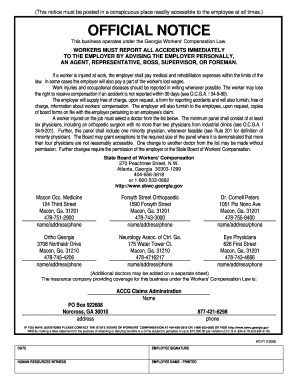
Get Wc P1 7 2006 Fillable
How it works
-

Open form follow the instructions
-

Easily sign the form with your finger
-

Send filled & signed form or save
How to use or fill out the Wc P1 7 2006 Fillable online
This guide provides clear and straightforward steps on how to fill out the Wc P1 7 2006 Fillable form online. Whether you are new to document management or have prior experience, this resource will support you in effectively completing the form.
Follow the steps to successfully fill out your Wc P1 7 2006 Fillable form.
- Press the ‘Get Form’ button to access the Wc P1 7 2006 Fillable form and open it in your preferred online editor.
- Begin with the 'Date' field located at the top of the form. Enter the date in the appropriate format, ensuring it reflects the day you are completing the form.
- In the ‘Employee Signature’ field, type your full name to validate your submission. This confirms that you are the individual completing the form.
- Next, locate the ‘Human Resources Witness’ section. A representative from your organization must fill this out, so ensure you provide them access to this field.
- Proceed to the ‘Employee Name - Printed’ section. This should contain your printed name, ensuring that it matches the signature above for consistency.
- Review all filled-out fields for accuracy. Confirm that all information is correct and complete before proceeding.
Take the next step towards completing your documentation by filing your forms online today.
WC 1 is generally the same as the WC 1 form, which starts the workers' compensation claim process. This form is indispensable for notifying employers about a workplace injury and obtaining necessary benefits. For easy access and proper submission, consider using the Wc P1 7 2006 Fillable option offered by uslegalforms, which can help you navigate the complexities of the claims process with ease.