Loading
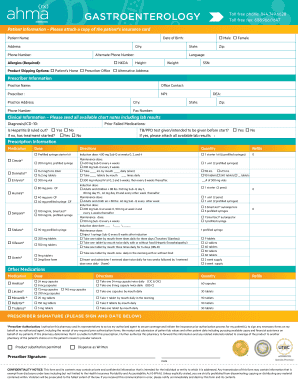
Get Ahma Rx Gastroenterology Form
How it works
-

Open form follow the instructions
-

Easily sign the form with your finger
-

Send filled & signed form or save
How to fill out the Ahma Rx Gastroenterology Form online
Filling out the Ahma Rx Gastroenterology Form online can be straightforward with the right guidance. This comprehensive guide will help you understand each section and field of the form to ensure accurate completion.
Follow the steps to successfully complete the form online.
- Press the ‘Get Form’ button to access the form and open it for completion.
- Begin with the Patient Information section. Enter the patient's name, select their gender, and provide their date of birth, address, city, phone number, state, alternate phone number, allergies, language, height, weight, and Social Security Number (SSN). Ensure to attach a copy of the patient's insurance card.
- In the Product Shipping Options section, select the preferred shipping destination for the medication, choosing between the patient’s home, prescriber office, or an alternative address.
- Proceed to the Prescriber Information section. Fill in the practice name, office contact details, prescriber name, National Provider Identifier (NPI), practice address, city, phone and fax numbers, Drug Enforcement Administration (DEA) number, state, and zip code.
- Next, complete the Clinical Information section by providing the diagnosis/ICD-10 code. Confirm if Hepatitis B has been ruled out, including any treatments that have started, and indicate if a TB/PPD test has been given or is intended. Attach all relevant lab results.
- In the Prescription Information section, list the medications prescribed, including the medication name, dosage, directions for use, quantity, and number of refills. Make sure to specify any induction and maintenance doses as outlined in the form.
- Conclude by signing and dating the Prescriber Signature section. Review the prescriber authorization statement before finalizing the signing process.
- Once you have completed all sections, save your changes, download the form for your records, print a physical copy, or share it as needed.
Complete your documents online efficiently today.