Get Canada Imm 5257 E 2019
How it works
-

Open form follow the instructions
-

Easily sign the form with your finger
-

Send filled & signed form or save
How to fill out the Canada IMM 5257 E online
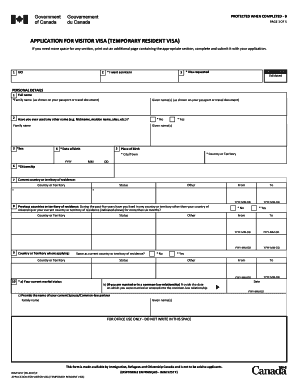
Filling out the Canada IMM 5257 E form is a crucial step for individuals seeking a visitor visa to Canada. This guide provides step-by-step instructions to help you successfully complete the form online, ensuring that all required information is accurately provided.
Follow the steps to fill out the form with ease
- Click ‘Get Form’ button to access the Canada IMM 5257 E form and open it for editing.
- Begin with the personal details section. Input your full name as it appears in your passport, ensuring the family name and given names are correctly entered.
- Indicate if you have ever used any other names. If applicable, provide the family name and given name of those aliases.
- Fill in your date of birth and place of birth, including the country or territory and city or town.
- Provide your current citizenship and residence details, including your status in the current country.
- List any previous countries of residence within the last five years, including the status and relevant dates.
- State your current marital status and supply further details if you are in a marriage or common-law relationship.
- Complete the language section by indicating your native language and any language proficiency tests taken.
- Input your passport details accurately, including the passport number, country of issue, issue date, and expiry date.
- Provide your current mailing and residential addresses, ensuring all contact details are correct.
- Detail the purpose of your visit to Canada, the duration of your stay, and any funds available for your travel.
- Outline your educational background and employment history for the last ten years.
- Complete the background information section, answering all applicable questions truthfully.
- Sign and date the application, making sure to include any required attachments such as photographs and documents.
- Finally, save your changes, download a copy for your records, and print or share the completed form as needed.
Complete your Canada IMM 5257 E application online to ensure a smooth process for your visitor visa request.
Get form
The primary difference between IMM 5257 and IMM5257E lies in the format of the application. IMM 5257 is the general application form, while IMM5257E refers specifically to the electronic version of the same form. Both serve the same purpose, but IMM5257E is designed for online submissions, making it easier and more efficient for applicants. Choosing the right version based on your needs can simplify your immigration experience.