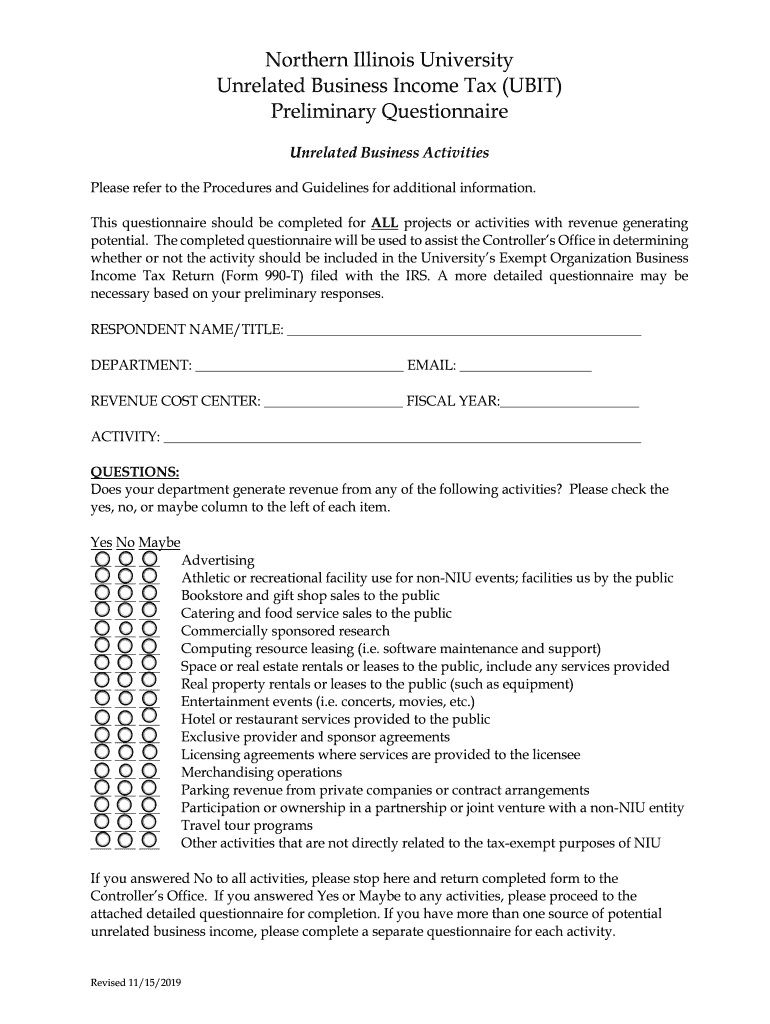
Questionnaire should be completed for ALL projects or activities with revenue generating potential. The completed questionnaire will be used to assist the Controller s Office in determining whether or not the activity should be included in the University s Exempt Organization Business Income Tax Return (Form 990-T) filed with the IRS. A more detailed questionnaire may be necessary based on your preliminary responses. RESPONDENT NAME/TITLE:.

Open form follow the instructions

Easily sign the form with your finger

Send filled & signed form or save
How to fill out the NIU UBIT Preliminary Questionnaire online
Completing the NIU UBIT Preliminary Questionnaire is essential for assessing any revenue-generating activities within your department. This guide provides clear, step-by-step instructions for filling out the form online to ensure you meet the necessary requirements.
Follow the steps to efficiently complete the questionnaire.
- Click ‘Get Form’ button to obtain the questionnaire and open it in the online editor.
- Begin by entering your details in the respondent section. Provide your name, title, department, and email address in the designated fields.
- Fill in the revenue cost center and fiscal year related to the activities being reported.
- In the activity section, describe the nature of the potential business activity briefly but accurately.
- Review the list of activities that may generate revenue. For each listed item, select the appropriate checkbox under ‘Yes,’ ‘No,’ or ‘Maybe’ based on your department's activities.
- If you have answered ‘No’ to all activities, please stop here and ensure the form is returned completed to the Controller’s Office.
- If you answered ‘Yes’ or ‘Maybe’ to any activities, proceed to any additional detailed questionnaires that might be required based on your preliminary responses.
- If there are multiple sources of potential unrelated business income, complete a separate questionnaire for each activity.
- After filling out the questionnaire, save your changes. You may choose to download, print, or share the completed form as necessary.
Complete your NIU UBIT Preliminary Questionnaire online today to ensure compliance and clarity regarding your activities.
Experience a faster way to fill out and sign forms on the web. Access the most extensive library of templates available.
Related content
Mar 13, 2025 — Identify and assess the risks of material noncompliance, whether due to...
This questionnaire should be completed for ALL projects or activities with revenue...
Conduct a preliminary evaluation to determine whether the engineered strain can respond to...
Use professional pre-built templates to fill in and sign documents online faster. Get access to thousands of forms.
If you believe that this page should be taken down, please follow our DMCA take down process here.