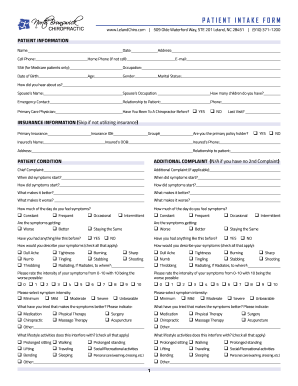
Get Nc North Brunswick Chiropractic Patient Intake Form
How it works
-

Open form follow the instructions
-

Easily sign the form with your finger
-

Send filled & signed form or save
How to fill out the NC North Brunswick Chiropractic Patient Intake Form online
Filling out the NC North Brunswick Chiropractic Patient Intake Form online is a vital step in starting your chiropractic care. This guide provides a comprehensive overview and step-by-step instructions to help ensure you complete the form accurately and easily.
Follow the steps to complete the intake form effectively.
- Click ‘Get Form’ button to access the form and open it in your chosen application.
- Begin with the patient information section. Enter your full name and the date in the respective fields. Fill in your address, cell phone, and home phone if applicable. It's also important to provide your email address for further communication.
- Provide your Social Security number if you are a Medicare patient, along with your occupation, date of birth, age, gender, and marital status.
- In the ‘How did you hear about us?’ section, indicate the source of your referral. If applicable, fill out your spouse's name and occupation, and the number of children you have.
- List an emergency contact and their relationship to you. Provide the name and phone number of your primary care physician, and indicate whether you have previously visited a chiropractor.
- Move on to the insurance information section. If you are using insurance, complete this part, including your primary insurance provider and policy details. Indicate if you are the primary policyholder.
- In the patient condition section, detail your chief complaint and any additional complaints. Specify when your symptoms started and how they began. Include information about what alleviates or worsens your symptoms.
- Describe the intensity of your symptoms, using the scale provided. Mark if your symptoms are constant, frequent, occasional, or intermittent, and whether they are getting better, worse, or staying the same.
- Complete the patient pain diagram by clicking on the areas of discomfort using the matching symbols provided.
- In the health history section, indicate any current medications, pregnancy status, implants, and any allergies. List past medical conditions and any significant family health histories.
- Finally, reflect on your social history, including lifestyle habits such as smoking, exercise, sleep, caffeine and alcohol consumption, stress levels, and overall health perceptions.
- Review all your entries for accuracy. Once completed, you can save changes, download the form, print it, or share it as necessary.
Start filling out your NC North Brunswick Chiropractic Patient Intake Form online today!
Creating a patient form involves identifying what information you need from patients to ensure effective care. Start by looking at existing models, such as the NC North Brunswick Chiropractic Patient Intake Form available through US Legal Forms. After selecting a template, customize it to include contact information, medical history, consent statements, and more, ensuring it meets your practice's requirements.