Loading
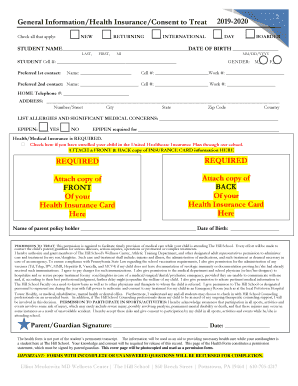
Get Pa Hill School Health Forms 2019
How it works
-

Open form follow the instructions
-

Easily sign the form with your finger
-

Send filled & signed form or save
How to fill out the PA Hill School Health Forms online
Completing the PA Hill School Health Forms online is a crucial step in ensuring your student’s health and safety during their time at school. This guide provides clear and detailed instructions to help you navigate the form efficiently and effectively.
Follow the steps to successfully complete the health forms online.
- Use the ‘Get Form’ button to access the health form and open it in your preferred online editor.
- Carefully complete all required fields in the form, ensuring that you answer all questions accurately and to the best of your knowledge. This includes personal details about the student such as their name, date of birth, and any allergies or significant medical conditions.
- After filling out the form, print the entire document to ensure you have a physical copy for signing.
- Sign each page where indicated. Note that both the parent and student signatures may be required in certain sections.
- Attach copies of the health insurance card and prescription insurance card as specified in the form. Ensure both the front and back copies are attached.
- Bring the turquoise highlighted pages of the health form to your healthcare provider for them to complete and sign, including the physical exam and tuberculosis screening.
- Return all completed forms by mail to the Wellness Center by the specified deadline to ensure your student’s participation in school activities.
- Remember to maintain confidentiality; therefore, avoid faxing or emailing the completed forms.
Begin the process now by filling out the PA Hill School Health Forms online.
Get form
Experience a faster way to fill out and sign forms on the web. Access the most extensive library of templates available.
Get This Form Now!
Use professional pre-built templates to fill in and sign documents online faster. Get access to thousands of forms.