Loading
Get Promedica Mychart Epcadm001 2017-2026
How it works
-

Open form follow the instructions
-

Easily sign the form with your finger
-

Send filled & signed form or save
How to fill out the ProMedica MyChart EPCADM001 online
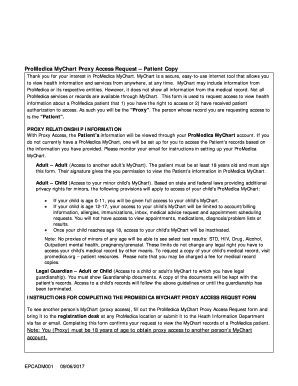
The ProMedica MyChart EPCADM001 form allows individuals to request proxy access to a patient's health information. This guide will provide clear, step-by-step instructions on how to complete this form online, ensuring you have all necessary information at your fingertips.
Follow the steps to complete the form efficiently.
- Press the ‘Get Form’ button to obtain the ProMedica MyChart EPCADM001 form and open it in the online editor.
- Fill out the 'Proxy Information' section. Enter your full name, birthdate, address, city, state, zip code, phone number, relationship to the patient, and the last four digits of your social security number. Ensure all fields are completed accurately.
- Provide your signature and the date and time of signing in the 'Proxy Signature' section.
- Complete the 'Patient's Information' section by entering the patient's full name, birthdate, address, city, state, zip code, and phone number. Again, ensure all fields are completed clearly.
- Review the ProMedica MyChart Terms and Agreement carefully, ensuring you understand the implications of providing proxy access. Acknowledge it by signing in the 'Patient Authorization to Allow Access' section.
- After completing all sections, save any changes made to the form. You may also choose to download, print, or share the completed form as needed.
Complete your ProMedica MyChart access request online today.
To set up ProMedica MyChart EPCADM001 on your phone, download the MyChart app from your device's app store. Open the app, enter your login credentials, or follow the prompts to create a new account if you haven't done so already. Once set up, you can easily access your health information anytime, anywhere.