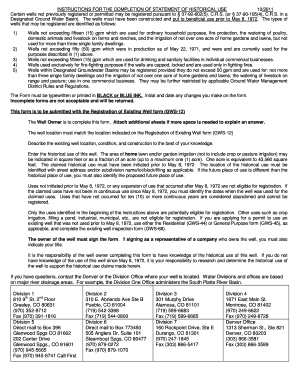
Get Gws 12a Historical Use
How it works
-

Open form follow the instructions
-

Easily sign the form with your finger
-

Send filled & signed form or save
How to fill out the Gws 12a Historical Use online
Completing the Gws 12a Historical Use form is a crucial step for well owners seeking to register their wells based on historical usage. This guide provides a clear, step-by-step approach to ensure you accurately complete the form and submit it online.
Follow the steps to successfully fill out the Gws 12a Historical Use online.
- Press the ‘Get Form’ button to obtain the form and open it in your preferred document editor.
- Provide your name as the well owner in the designated field. Ensure this information is accurate and complete.
- Indicate the well's legal location by filling in the section that includes the quarter section, township, and range. Be precise to avoid any discrepancies.
- If applicable, enter the water court case number and the well's designation or name. This information will help identify your specific well.
- Describe the well's street address and subdivision name, lot, block, or filing as required. This is crucial for accurate identification.
- Answer the question regarding whether the historical use is on the same parcel as the well location. If not, provide the alternative location details.
- Specify the size of the parcel where the well is located and indicate if this is the only well on the parcel. If there are additional wells, list their permit or water court numbers.
- Address whether the future use will remain on the same parcel as the historical use. If it differs, provide the new location information.
- Detail the existing well location and visual conditions, including the type of existing well—be it drilled, hand-dug, or other types.
- Answer questions regarding the sanitation and construction of the well, including well seal/cap, casing materials, and construction details.
- Describe the historical use initiated before May 8, 1972. Indicate how many single-family dwellings used the water, along with the area for garden or lawn irrigation.
- Confirm whether the claimed historical uses have been in continuous operation since May 8, 1972. If not, you will need to provide specific dates of operation.
- Sign and date the form. If you are representing a company, include your title beside your signature.
- Once completed, save your changes. You can then download, print, or share the form as needed.
Complete your Gws 12a Historical Use form online today to ensure your well registration is processed efficiently.
To look up well permits in Colorado, start by accessing the appropriate resources at the Colorado Division of Water Resources. They provide an easy to navigate online database for public records. By investigating permits related to Gws 12a Historical Use, you can better understand the historical context of water usage in your area. If you need assistance, uslegalforms can be a valuable tool to help you.