Loading
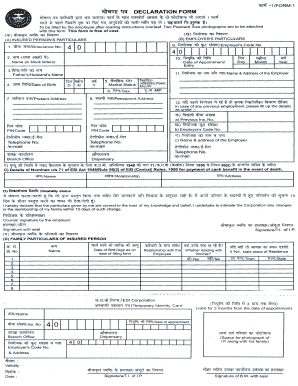
Get Esic Form 1
How it works
-

Open form follow the instructions
-

Easily sign the form with your finger
-

Send filled & signed form or save
How to fill out the Esic Form 1 online
Filling out the Esic Form 1 online can be a straightforward process if you follow the right steps. This guide is designed to help you navigate through the form with ease, ensuring that all necessary information is provided accurately.
Follow the steps to successfully complete the Esic Form 1
- Click ‘Get Form’ button to obtain the form and open it in the editor.
- Begin by entering your personal information in the designated fields. This typically includes your full name, address, date of birth, and contact details. Make sure to double-check for accuracy to prevent issues during processing.
- Next, provide your employment details. This section will require the name of your employer, your designation, and the date of joining. Include any additional information requested that pertains to your employment status.
- In the subsequent section, you may need to include details about your family members for whom benefits are being claimed. Fill out their names, relationship to you, and any required identification numbers.
- Review all entered information carefully. Ensure that there are no errors or omissions before moving on. It may be helpful to have a second set of eyes review the form to confirm its accuracy.
- Once you are satisfied with the information provided, you can proceed to save your changes. Look for the appropriate option to download, print, or share the completed form as needed.
Start filing documents online with confidence today!
Related links form
To fill a name declaration form, begin by stating your current name and any previous names you have used. Provide any required identification numbers and signatures where necessary. Make sure to follow specific instructions provided on the form to avoid complications. Utilizing the Esic Form 1 can provide a helpful template for creating your name declaration form correctly.