Loading
Get Schwabcom
How it works
-

Open form follow the instructions
-

Easily sign the form with your finger
-

Send filled & signed form or save
How to fill out the Schwabcom online
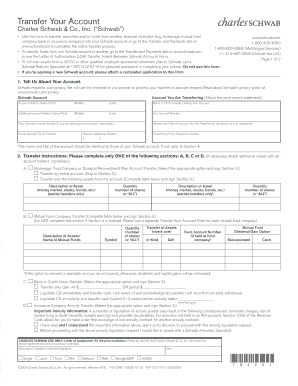
This guide provides clear and supportive instructions on how to complete the Schwabcom form for transferring accounts. It is designed to help users navigate the process with ease, ensuring that each section of the form is accurately filled out for a successful account transfer.
Follow the steps to complete the Schwabcom form successfully.
- Click the ‘Get Form’ button to obtain the Schwabcom form and open it in your editor.
- Begin by providing details about your existing account in Section 1. You will need to include the account holder’s full name, the name of the firm currently holding your account, your account number, and your Schwab account number if you are opening a new account. Be sure to attach a copy of your most recent account statement.
- Move to Section 2, Transfer Instructions. Choose only one of the options: Section A for brokerage or trust account transfers, Section B for mutual fund transfers, Section C for bank or credit union transfers, or Section D for insurance company annuity transfers. Fill in the required details based on your selection, ensuring accuracy.
- In Section 3, provide your authorization to transfer. Ensure all account holders sign the form. Their signatures validate the transfer process.
- If necessary, refer to Section 4 for any discrepancies between the account name or type you are transferring and your Schwab account. Provide authorization for these discrepancies if needed.
- Finally, review all sections for completeness, then mail your completed form to Charles Schwab & Co., Inc., P.O. Box 52114, Phoenix, AZ 85072-2114. Users can also check on the status of their transfer via Schwab's official channels.
Complete your document online today for a smooth account transfer experience.
Filling out a customs sheet involves providing detailed information about your shipment. Schwabcom streamlines this task by offering a structured format to follow. You can input all necessary data, ensuring no detail is overlooked. This structured approach helps facilitate smoother customs processing and reduces the chance of errors.