Loading
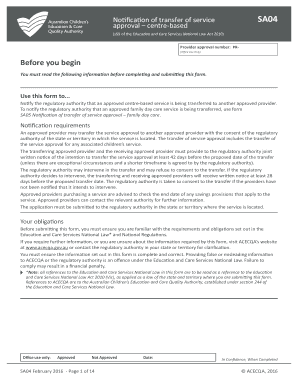
Get Notification Of Transfer Of Service Approval - Centre-based - Acecqa 2020-2025
How it works
-

Open form follow the instructions
-

Easily sign the form with your finger
-

Send filled & signed form or save
How to fill out the Notification Of Transfer Of Service Approval - Centre-Based - Acecqa online
This guide provides a clear and supportive walkthrough for users on how to complete the Notification Of Transfer Of Service Approval - Centre-Based - Acecqa form online. Follow these steps to ensure that your submission is accurate and meets regulatory requirements.
Follow the steps to successfully complete the form online.
- Press the ‘Get Form’ button to access the Notification Of Transfer Of Service Approval form and open it in your preferred online editor.
- In Part A, fill out the service details. Include the service legal entity name, business name, address, service approval number, and the intended transfer date, ensuring that all entries are clear and complete.
- In Part B, provide the details for the transferring approved provider. This includes the provider name and approval number. Double-check this information for accuracy.
- For Part C, enter the details of the receiving approved provider, including their name and approval number to ensure correct identification.
- In Part D, address any proposed changes to the service approval. Indicate if the service name, contact details, or hours of operation will change. Attach any supporting documentation as needed.
- Confirm in Part D that necessary policies and procedures are prepared in accordance with regulation 168. This is essential for compliance and will not require the submission of copies with the application.
- Part E requires you to list contact details for both the transferring and receiving providers. Make sure to provide accurate and direct information for follow-up.
- Complete Parts F and G by providing declarations and signatures from the nominated supervisors and other relevant authorities. Ensure all declarations are correctly signed and dated.
- If applicable, complete the payment details in Part I, providing credit card information or specifying how you intend to pay any fees. Confirm payment information is accurate.
- Finally, review the entire form for completeness and accuracy. Once satisfied, save the changes, download a copy for your records, and submit the completed form to the relevant regulatory authority.
Start filling out your Notification Of Transfer Of Service Approval - Centre-Based - Acecqa form online today!
Under section 172 of the National Law and section 173 of the National Regulations, services must display the following so it is clearly visible to anyone from the main entrance of the education and care service premises: provider approval and service approval. contact details for the regulatory authority.
Industry-leading security and compliance
US Legal Forms protects your data by complying with industry-specific security standards.
-
In businnes since 199725+ years providing professional legal documents.
-
Accredited businessGuarantees that a business meets BBB accreditation standards in the US and Canada.
-
Secured by BraintreeValidated Level 1 PCI DSS compliant payment gateway that accepts most major credit and debit card brands from across the globe.