Loading
Get Fin355mv 2020-2026
How it works
-

Open form follow the instructions
-

Easily sign the form with your finger
-

Send filled & signed form or save
How to fill out the Fin355mv online
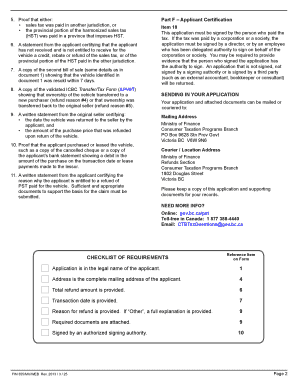
Completing the Fin355mv form is essential for claiming a refund of the provincial sales tax paid on a motor vehicle. This guide provides a clear, step-by-step approach to filling out the form accurately and efficiently.
Follow the steps to successfully complete your Fin355mv application.
- Click the ‘Get Form’ button to obtain the form and open it in the editor.
- In Part A – Applicant Information, enter your full current legal name as the applicant. If you are representing a corporation, use the name that appears on the incorporation certificate.
- For Item 2, provide your 9-digit business number if you possess one. If not applicable, you may leave this section blank.
- In Item 3, if you hold a PST number as a registered collector, input it here. If not, skip this step.
- Input your complete mailing address in Item 4. This address is where any cheques or refund decision letters will be sent.
- In Item 5, include the name and phone number of a person who can be contacted regarding your application.
- In Part D – Transaction Information, enter the total amount you are claiming for a refund in Item 6. Ensure this amount is accurate to avoid returning the application.
- Provide the transaction date in Item 7, which is when the tax was paid, either to ICBC upon registration or to a dealer at the time of purchase.
- In Item 8, list the vehicle's identification number (VIN), make, model, year, and purchase price. For multiple vehicles, attach a separate sheet with this information.
- In Part E – Refund Reason, specify the reason for the refund in Item 9 by entering the claimed amount in the appropriate fields. If selecting 'Other', provide a detailed explanation.
- Attach all required supporting documents as listed in the instructions to ensure your application can be processed.
- In Part F – Applicant Certification, sign the application, certifying that all information provided is accurate and complete.
- Once all sections are completed, you can save changes, download, print, or share the form as necessary.
Begin the process of completing and submitting your Fin355mv form online today.
Related links form
To report PST in British Columbia, you must file a PST return with the Ministry of Finance, detailing the taxable sales and the PST collected. Ensure that you meet the reporting deadlines to avoid penalties. Platforms like Fin355mv can help simplify the reporting process, keeping you compliant and organized.