Loading
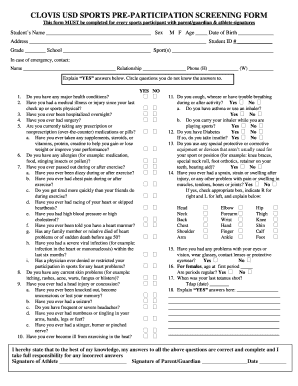
Get Clovis Usd Sports Pre Participation Screening Form
How it works
-

Open form follow the instructions
-

Easily sign the form with your finger
-

Send filled & signed form or save
How to fill out the Clovis Usd Sports Pre Participation Screening Form online
Completing the Clovis Usd Sports Pre Participation Screening Form is an essential step for every sports participant. This guide will help you navigate the process online, ensuring that you provide all necessary information accurately and efficiently.
Follow the steps to successfully complete the form online.
- Click ‘Get Form’ button to obtain the form and open it in the editor.
- Begin by entering the student's name, sex, age, date of birth, address, grade, student ID number, school, and sport(s) they will be participating in.
- Provide emergency contact details, including the name, relationship, and phone numbers for both home and work.
- Review the series of health-related questions. For each question, mark 'YES' or 'NO' based on the student’s health history.
- For questions answered 'YES', provide detailed explanations in the designated area. Additionally, circle any questions where the answers are unknown.
- Complete the physical screening section, including height, weight, blood pressure, heart rate, and any abnormal findings from the medical examination.
- Ensure the athlete and parent/guardian are both able to review and sign the form, confirming the accuracy of the provided information.
- After all fields are filled out and confirmed, save changes to the form. You can also download, print, or share the completed document as needed.
Complete the Clovis Usd Sports Pre Participation Screening Form online to ensure a safe and successful sports experience!