Loading

Open form follow the instructions

Easily sign the form with your finger

Send filled & signed form or save
How to fill out the 2020 Flu Consent And Tracking Form Insura online
Filling out the 2020 Flu Consent And Tracking Form Insura online is a straightforward process designed to collect necessary information for flu vaccination consent and tracking. This guide provides clear steps to ensure that you complete the form accurately and efficiently.
Follow the steps to complete the form successfully.
- Click the ‘Get Form’ button to access the form and open it in your preferred document viewer.
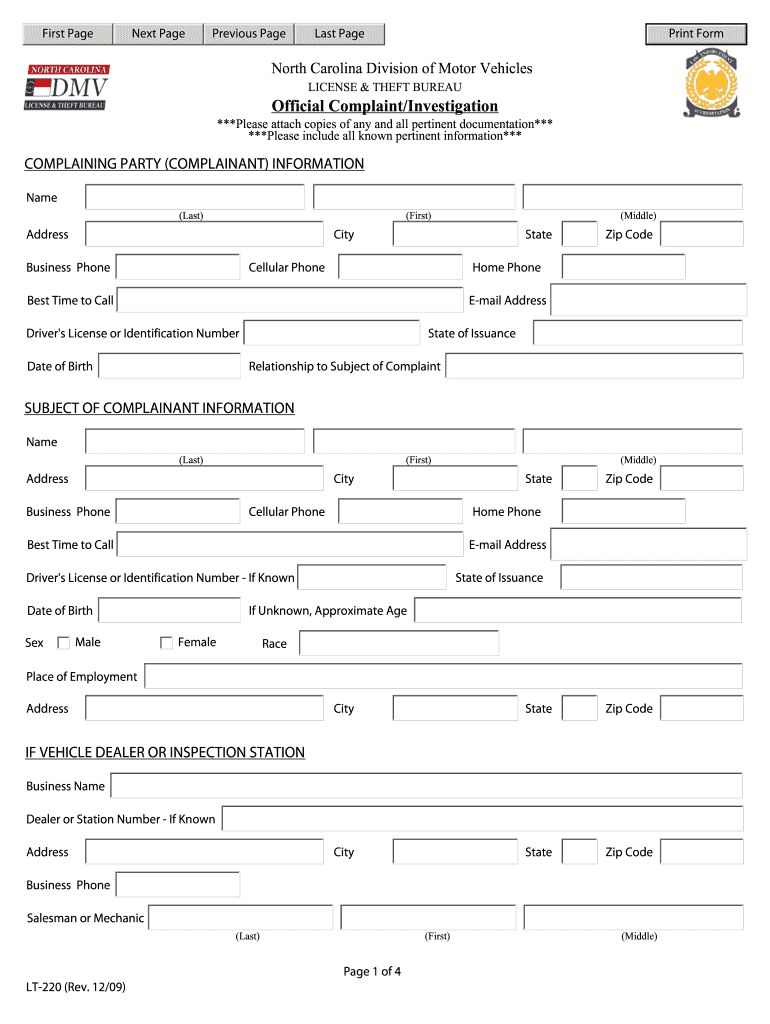
- Begin by entering your personal information in the designated fields. This includes your name, address, contact numbers, and email address.
- Provide details regarding your date of birth and the relationship to the subject of the complaint if applicable.
- Fill out the section regarding the subject of the complaint, including their name, contact information, and relationship to you.
- If applicable, complete the vehicle information section, detailing the Vehicle Identification Number (VIN), plate number, year, make, model, and color of the vehicle.
- In the complaint declaration section, affirm that the information is true to the best of your knowledge before signing.
- Ensure all required fields are completed, and review your entries for any errors or omissions.
- Once finalized, save your changes, and choose to download, print, or share the form as necessary.
Complete your forms online conveniently and ensure your vaccination consent is recorded.
Experience a faster way to fill out and sign forms on the web. Access the most extensive library of templates available.
Related content
The purpose of this study is to evaluate the immune response of the killed flu vaccine in...
In addition, Public Health Law Section 2168 requires registered nurses and pharmacists...
by M SHUKLA · 2020 · Cited by 23 — No personal data should be uploaded to the server...
Get answers to your most pressing questions about US Legal Forms API.
How do I book a flu shot in Alberta?
To book a flu shot in Alberta, visit your local health authority’s website or contact your family doctor. Many clinics now accept online bookings, making it more convenient for you. You can use the 2020 Flu Consent And Tracking Form Insura to prepare for your visit and ensure all necessary consent and information are at hand.
What documentation is required when administering vaccines?
Documentation required when administering vaccines includes patient consent, details of the vaccine, such as lot number and expiration date, and the date administered. Proper documentation ensures compliance with health regulations. The 2020 Flu Consent And Tracking Form Insura effectively assists in compiling this necessary information.
How do you administer flu vaccine?
To administer the flu vaccine, prepare the injection site by cleaning it with an alcohol swab. Administer the vaccine following the proper technique, ensuring that the needle is inserted at the correct angle. Using the 2020 Flu Consent And Tracking Form Insura allows healthcare providers to maintain proper records throughout the vaccination process.
What should be documented after administering an injection?
After administering an injection, it is essential to document the patient's response, any side effects, and the person who administered the vaccine. This information is vital for future reference and overall health tracking. The 2020 Flu Consent And Tracking Form Insura is designed to support this important documentation process.
How do you document the administration of the flu vaccine?
Documenting the flu vaccine administration should include the patient's name, date of the shot, and site of injection. Additionally, it is important to record the vaccine manufacturer and lot number. Utilizing the 2020 Flu Consent And Tracking Form Insura can facilitate comprehensive documentation.
What is the mode of administration of the flu shot?
The flu shot is typically administered via an intramuscular injection, commonly in the upper arm. This method allows for quick absorption into the bloodstream, resulting in effective immunization. The proper documentation using the 2020 Flu Consent And Tracking Form Insura can enhance tracking and record-keeping.
What do you put on a flu declination form?
A flu declination form should include the individual's name, reasons for declining the vaccine, and the date. It's also helpful to mention an understanding of the risks associated with not getting vaccinated. Using the 2020 Flu Consent And Tracking Form Insura helps streamline this process as it ensures all critical data is captured.
What are the CDC guidelines for the flu shot?
The CDC recommends that individuals aged six months and older receive an annual flu vaccine, preferably by the end of October. The 2020 Flu Consent And Tracking Form Insura can help ensure that all necessary information is collected. Following these guidelines helps safeguard public health and reduces the spread of influenza.
What is the CDC statement on flu vaccine?
CDC recommends everyone 6 months of age and older should receive an annual flu vaccination with rare exceptions.
What is declination in healthcare?
A legal document that signals an individual's intent to refuse a recommended treatment, e.g. a requirement for vaccination of health care workers against influenza.
Use professional pre-built templates to fill in and sign documents online faster. Get access to thousands of forms.
If you believe that this page should be taken down, please follow our DMCA take down process here.