Loading
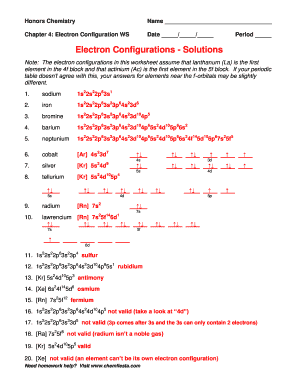
Get Electron Configuration Worksheet
How it works
-

Open form follow the instructions
-

Easily sign the form with your finger
-

Send filled & signed form or save
How to fill out the Electron Configuration Worksheet online
Completing the Electron Configuration Worksheet online is an essential step for students engaged in understanding atomic structure and electron arrangements. This guide will provide clear, step-by-step instructions to ensure a smooth experience while filling out the form accurately.
Follow the steps to fill out the Electron Configuration Worksheet seamlessly.
- Click the ‘Get Form’ button to access the Electron Configuration Worksheet. This action will open the document in an online editor where you can begin filling it out.
- Locate the section for your name and date. Enter your full name and the current date in the designated spaces.
- Identify the questions related to electron configurations listed in the worksheet. For each element provided, input the correct electron configuration according to your understanding of the periodic table.
- Pay attention to any specific instructions regarding valid and invalid configurations, as highlighted in the worksheet. Ensure your entries adhere to the rules of electron filling and energy levels.
- As you complete each question, review your answers for accuracy. Check if additional explanations or diagrams are required, and provide them in the appropriate section.
- Once all sections of the worksheet are filled out, look for options to save your changes, download, print, or share the completed document.
Start filling out your Electron Configuration Worksheet online today!
This is a memory aid that everyone that has ever taken general chemistry has seen. Follow the diagonals sequential, from tail to head. Remember that s gets two electrons, p gets six electrons, d gets 10 electrons, and f gets 14 electrons.