Loading
Form preview
  • US Legal Forms
  • Other Templates
  • Tax Forms
  • Vermont Tax Forms
  • Vt Wht-434 2016

Get Vt Wht-434 2016-2026

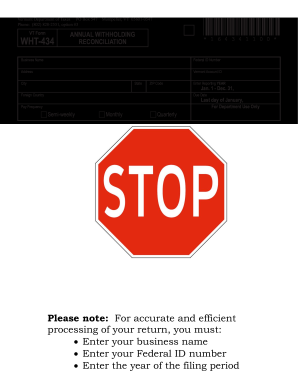
Ss Name Federal ID Number Address Vermont Account ID City State ZIP Code Foreign Country WHT- Enter Reporting YEAR Jan. 1 - Dec. 31, Due Date Last day of January, For Department Use Only Pay Frequency c Semi-weekly c Monthly c Quarterly A. c Check here if your business has ceased and you would like your account closed. B. c Check here if you are reporting Third-Party Sick Pay. Cease date: / / C. Aggregate cost of applicable employe.

How it works

  1. Open form

    Open form follow the instructions

  2. Easily sign form

    Easily sign the form with your finger

  3. Share form

    Send filled & signed form or save

How to fill out the VT WHT-434 online

Filling out the VT WHT-434 form accurately is essential for proper tax reconciliation in Vermont. This guide will provide you with clear, step-by-step instructions for completing the form online, ensuring that you understand each component.

Follow the steps to complete the VT WHT-434 form online.

  1. Click the ‘Get Form’ button to obtain the form and open it in your preferred editor.
  2. Enter your business name in the designated field at the top of the form.
  3. Fill in your federal ID number and Vermont Account ID, ensuring accuracy to prevent any processing delays.
  4. Provide your business address, including city, state, ZIP code, and, if applicable, foreign country.
  5. Indicate the reporting year for which you are reconciling withholding by entering the appropriate year.
  6. Select the pay frequency that applies to your business by checking one of the options: semi-weekly, monthly, or quarterly.
  7. If your business has ceased, check the relevant box and provide the cease date.
  8. If reporting third-party sick pay, check that box as well.
  9. Fill in the total aggregate cost of employer-sponsored health insurance coverage in the specified field.
  10. For Part I, provide the number of W-2s submitted, total Vermont wages paid, and total Vermont tax withheld as reported on the W-2s.
  11. For Part II, enter the number of 1099s submitted, total nonwage payments reported, and total Vermont tax withheld as reported on the 1099s.
  12. In Part III, calculate the total Vermont tax withheld by adding the tax withheld amounts from Part I (Line 3) and Part II (Line 6).
  13. In Part IV, certify the accuracy of the information by signing the form, entering the title, date, and telephone number.
  14. If applicable, provide the preparer's signature, date, firm’s name, address, and telephone number.
  15. Finally, review your entries for accuracy, save your changes, and proceed to download, print, or share the completed form as needed.

Complete your VT WHT-434 form online to ensure accurate tax withholding reconciliation.

Get form

Experience a faster way to fill out and sign forms on the web. Access the most extensive library of templates available.
Get form

Related content

Instructions - Department of Taxes - Vermont.gov
All employers are required to file Form WHT-434, Annual Withholding Reconciliation by...
Learn more
Vermont Payroll Tax Setup
All taxpayers (Semiweekly, Monthly, and Quarterly) are required to file Form WHT-434...
Learn more
SC9000 EP medium voltage drives user manual
The example below, SC 93C100-VT-E is a SC9000 EP, 4160V input, 4160V ... WHT BLK RED WHT...
Learn more

Related links form

FL Annual Action Plan Hillsborough County 2018 TX TVC-ED-2 2016 FL FPL Docket NO.120015-EI 2012 NY NYSLRS RS 6082 2002

Questions & Answers

Get answers to your most pressing questions about US Legal Forms API.

Contact support

When determining what to put for exemption from withholding on your VT WHT-434, assess your tax situation carefully. If you expect not to owe any federal tax for the year, you may qualify for exemption, meaning you write ‘exempt’ on the appropriate line. However, it's essential to provide accurate information to prevent tax issues later. Again, resources available on platforms like uslegalforms can help clarify your options.

To fill out extra withholding on your VT WHT-434 form, you need to specify an additional amount that you want to be withheld from each paycheck. This can help you manage your tax liability if you expect to owe more at tax time. Make sure to assess your finances to determine the appropriate amount for extra withholding. Consulting financial or tax experts can also provide valuable insights on this decision.

Filling out a withholding exemption on your VT WHT-434 involves indicating the number of exemptions you're claiming. It's crucial to accurately report your personal and financial information. Misreporting can lead to incorrect withholding, impacting your finances at tax time. For a smooth experience, using user-friendly resources like uslegalforms can simplify the process and provide you with the necessary guidance.

The number of exemptions you should withhold depends on your individual financial situation and tax obligations. Generally, it's a good idea to review your prior tax returns and current income to make an informed decision on your VT WHT-434 form. Tools and calculators are available online to help you estimate the appropriate number of exemptions. Always remember that you can adjust your exemptions at any time based on your financial circumstances.

When completing the W 4V form, you will need to provide personal information, including your name, address, and Social Security number. Specify the amount you wish to have withheld from your payments, which can vary based on your income and deductions. For more assistance, you might find it helpful to look at resources available on platforms like uslegalforms, which can guide you through the process of filling out W 4V correctly.

The VT WHT-434 form is a critical document used for determining withholding tax exemptions in Vermont. This form allows employees to declare their withholding preferences to their employers, impacting how much tax is deducted from their paychecks. Understanding WHT 434 helps ensure you are either withholding enough or avoiding excessive deductions. It is important for both financial planning and tax compliance.

To accurately respond to the question 'Are you exempt from withholding?' on your VT WHT-434, you should first understand your tax situation. If you did not owe any tax last year and expect not to owe this year, you might qualify as exempt. However, it’s important to fill this out correctly to avoid underpayment issues. For personalized guidance, consider consulting with a tax professional.

A federal withholding transaction occurs when an employer deducts a certain percentage from an employee's wages for federal income tax purposes. This withholding is important as it helps individuals manage their tax obligations throughout the year. For those involved in real estate and utilizing forms like the VT WHT-434, understanding these withholding processes can help streamline your tax filings.

Real estate withholding tax in Vermont is a tax applied to the sale of property to ensure that sellers fulfill their tax obligations. This tax applies to the proceeds from the sale, and the VT WHT-434 form is used for reporting the amount withheld. It's important for sellers to understand this tax to avoid unexpected liabilities and ensure compliance with state laws.

When transferring real property in Vermont, the withholding tax return is filed to document the sale and any applicable withholding taxes. The VT WHT-434 form is specifically used for this purpose, ensuring compliance with state tax regulations. It's essential to complete this return accurately to avoid penalties and ensure a smooth transfer process.

Get This Form Now!

Use professional pre-built templates to fill in and sign documents online faster. Get access to thousands of forms.
Get form
If you believe that this page should be taken down, please follow our DMCA take down processhere.
Get VT WHT-434
Get form
  • Adoption
  • Bankruptcy
  • Contractors
  • Divorce
  • Home Sales
  • Employment
  • Identity Theft
  • Incorporation
  • Landlord Tenant
  • Living Trust
  • Name Change
  • Personal Planning
  • Small Business
  • Wills & Estates
  • Packages A-Z
  • Affidavits
  • Bankruptcy
  • Bill of Sale
  • Corporate - LLC
  • Divorce
  • Employment
  • Identity Theft
  • Internet Technology
  • Landlord Tenant
  • Living Wills
  • Name Change
  • Power of Attorney
  • Real Estate
  • Small Estates
  • Wills
  • All Forms
  • Forms A-Z
  • Other Templates
  • Legal Hub
  • About Us
  • Help Portal
  • Legal Resources
  • Blog
  • Affiliates
  • Contact Us
  • Delete My Account
  • Site Map
  • Industries
  • Forms in Spanish
  • Localized Forms
  • State-specific Forms
  • Forms Kit
  • Real Estate Handbook
  • All Guides
  • Notarize
  • Incorporation services
  • For Consumers
  • For Small Business
  • For Attorneys
  • USLegal
  • FormsPass
  • pdfFiller
  • signNow
  • altaFlow
  • DocHub
  • Instapage
Form Packages
  • Adoption
  • Bankruptcy
  • Contractors
  • Divorce
  • Home Sales
  • Employment
  • Identity Theft
  • Incorporation
  • Landlord Tenant
  • Living Trust
  • Name Change
  • Personal Planning
  • Small Business
  • Wills & Estates
  • Packages A-Z
Form Categories
  • Affidavits
  • Bankruptcy
  • Bill of Sale
  • Corporate - LLC
  • Divorce
  • Employment
  • Identity Theft
  • Internet Technology
  • Landlord Tenant
  • Living Wills
  • Name Change
  • Power of Attorney
  • Real Estate
  • Small Estates
  • Wills
  • All Forms
  • Forms A-Z
  • Other Templates
Customer Service
  • Legal Hub
  • About Us
  • Help Portal
  • Legal Resources
  • Blog
  • Affiliates
  • Contact Us
  • Delete My Account
  • Site Map
  • Industries
  • Forms in Spanish
  • Localized Forms
  • State-specific Forms
  • Forms Kit
Legal Guides
  • Real Estate Handbook
  • All Guides
Prepared for you
  • Notarize
  • Incorporation services
Our Customers
  • For Consumers
  • For Small Business
  • For Attorneys
Our Sites
  • USLegal
  • FormsPass
  • pdfFiller
  • signNow
  • altaFlow
  • DocHub
  • Instapage
Social Media
Call us now toll free:
+1 833 426 79 33
As seen in:
© Copyright 1999-2026 airSlate Legal Forms, Inc. 17 Station Street, Suite 303, Brookline, MA 02445
  • Your Privacy Choices
  • Terms of Service
  • Privacy Notice
  • Content Takedown Policy
  • Bug Bounty Program