Loading
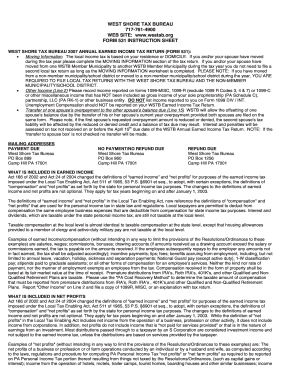
Get Pa Form 531 Instruction Sheet
How it works
-

Open form follow the instructions
-

Easily sign the form with your finger
-

Send filled & signed form or save
How to fill out the PA Form 531 Instruction Sheet online
Filling out the PA Form 531 Instruction Sheet online can seem daunting, but with clear guidance, you can easily navigate the process. This comprehensive guide provides step-by-step instructions for completing each section of the form, ensuring you understand what information to provide.
Follow the steps to complete the PA Form 531 online accurately.
- Click the ‘Get Form’ button to obtain the form and open it in the online editor.
- Review the moving information section. If you or your partner have changed residence during the tax year, complete this section. Ensure to indicate any moves between member municipalities to avoid unnecessary duplicate filings.
- For Line 1, input your gross earnings (wages, salaries, commissions, etc.). Attach copies of your W-2 forms from each employer. If you earned nothing, indicate the reason (e.g., student, unemployed).
- On Line 2, report any income that was not listed on a W-2. Include forms such as 1099-MISC or 1099-R, excluding certain codes. Attach the relevant documentation for verification.
- Enter any unreimbursed business expenses on Line 3. Ensure these expenses are necessary for your current job and provide documentation for verification. Remember, these expenses cannot be consolidated across different employers.
- Calculate Line 4 by adding Lines 1 and 2, then subtracting Line 3. Carefully ensure this calculation is accurate to prevent discrepancies.
- For Line 5, if you have business losses, report the appropriate amount. Attach the necessary PA schedules supporting your claim.
- Proceed to Line 6 to determine your subtotal. If it results in less than zero, enter zero.
- Line 7 is for self-employed individuals to report net profits. If there are losses, report them on Line 5.
- Calculate your taxable income on Line 8 by adding Line 6 and Line 7.
- On Line 9, calculate your tax liability by multiplying your taxable income on Line 8 by your municipality's tax rate.
- Fill in Line 10 if you made quarterly payments, and complete Line 11 for PA local income tax withheld by your employer.
- Use Line 12 to report any prior year credits or out-of-state tax credits. Ensureto attach the appropriate forms.
- Calculate your total tax credits on Line 13 by adding Lines 10, 11, and 12.
- Determine if you are due a refund on Line 14 by subtracting Line 9 from Line 13 if it exceeds it.
- Fill Line 15 if you want your refund credited to your spouse.
- Calculate Line 16 to find any tax due by subtracting Line 13 from Line 9 if applicable.
- On Line 17, include any applicable interest and penalties for late payments, if any.
- Finally, calculate the total amount due on Line 18. Make sure to check all figures for accuracy.
- Once all information is filled out, save your changes, download a copy for your records, and share with the relevant authorities as needed.
Complete your PA Form 531 online today to ensure accurate and timely filing.
You can obtain PA state tax forms from the Pennsylvania Department of Revenue's official website. This site includes downloadable versions of all necessary forms, including the PA Form 531 Instruction Sheet. Alternatively, local tax professionals and libraries may provide printed copies for your convenience.
Industry-leading security and compliance
US Legal Forms protects your data by complying with industry-specific security standards.
-
In businnes since 199725+ years providing professional legal documents.
-
Accredited businessGuarantees that a business meets BBB accreditation standards in the US and Canada.
-
Secured by BraintreeValidated Level 1 PCI DSS compliant payment gateway that accepts most major credit and debit card brands from across the globe.