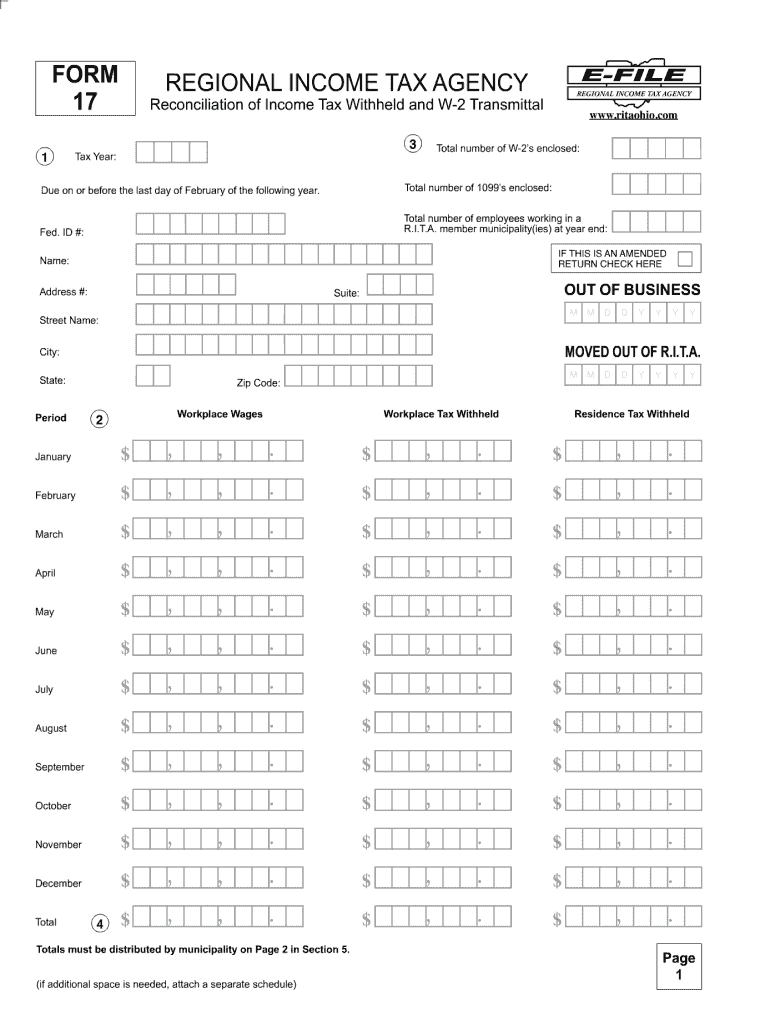
REGIONAL INCOME TAX AGENCY. Reconciliation of Income Tax Withheld and W-2 Transmittal. FORM. 17. Tax Year: Workplace Wages. Workplace Tax .
Loading

Open form follow the instructions

Easily sign the form with your finger

Send filled & signed form or save
How to fill out the OH RITA 17 online
The OH RITA 17 is an important document that requires careful completion to ensure accurate processing. This guide will provide you with step-by-step instructions on how to fill out the form online, making the process straightforward and manageable for all users.
Follow the steps to complete the OH RITA 17 online with ease.
- Press the ‘Get Form’ button to access the form and open it in the designated editor.
- Begin by filling in your personal information in the designated fields, ensuring that all details are accurate and up-to-date.
- Next, provide any required identification numbers or references, making sure these match your official documents.
- Complete the specific sections regarding the purpose of the form, carefully reading each instruction to determine what information is needed.
- Review any additional sections that may request supplementary information or documentation, and ensure that you attach any required files.
- After filling in all necessary fields, review your entries for accuracy and completeness to avoid any delays.
- Once satisfied with your information, you can choose to save changes, download the completed form for your records, print it for physical submission, or share it as needed.
Take the next step in your process by completing the OH RITA 17 online today!
Experience a faster way to fill out and sign forms on the web. Access the most extensive library of templates available.
Related content
RITA is available to prepare your taxes in person at six locations listed on their...
In general, unless you moved into or out of a RITA municipality during the year, your...
*Reimbursed to NHTSA in by RITA to support Intelligent Transportation Systems work....
Get answers to your most pressing questions about US Legal Forms API.
What is the difference between RITA and CCA in Ohio?
The main difference between OH RITA 17 and the Central Collection Agency (CCA) lies in their administrative roles and taxation areas. RITA manages regional income taxes in specific Ohio municipalities, whereas CCA focuses on collecting taxes for various city entities. Understanding their distinct functions can help you navigate Ohio's tax landscape more effectively. For further clarifications, US Legal Forms can provide detailed insights into both organizations.
How is local income tax calculated?
Local income tax in Ohio, subject to OH RITA 17, is typically calculated based on your total taxable income within the municipality. This tax is generally a percentage of your income and may vary between localities. Make sure to abide by local tax regulations to determine your exact obligation. US Legal Forms provides guidance and forms that can assist you in calculating local taxes.
How to register for Ohio withholding tax?
To register for Ohio withholding tax, visit the Ohio Department of Taxation website and complete the necessary forms. Ensure you provide your business information, including your federal Employer Identification Number (EIN). After registration, you will receive your withholding accounts, allowing compliance with OH RITA 17 requirements. For streamlined registration, US Legal Forms can help with the paperwork.
How is tax computation calculated?
Tax computation under OH RITA 17 involves taking your gross income and subtracting allowable deductions. After determining your taxable income, you will apply the specific RITA tax rates relevant to your situation. Proper documentation is essential to ensure an accurate tax computation. For comprehensive guidance, US Legal Forms offers tools to simplify this process.
What happens if you ignore RITA?
Ignoring OH RITA 17 obligations can lead to severe penalties and interest on unpaid taxes. Taxpayers may face collection actions and damage to their credit scores. It is crucial to stay compliant with RITA regulations to avoid potential legal issues. If you're unsure about your RITA status, use US Legal Forms to navigate your obligations accurately.
How to calculate RITA taxes?
To calculate OH RITA 17 taxes, you need to determine your total income and apply the correct RITA tax rate. Start by identifying your earnings from all sources within the tax year. Then, multiply your taxable income by the applicable RITA tax rate to find your tax liability. For assistance with the calculation, consider using US Legal Forms for reliable tax resources.
How long can you go to jail for not paying RITA?
While it is uncommon, criminal charges can arise from willfully not paying your OH RITA 17 taxes, and jail time may be a possibility. The legal ramifications vary based on individual circumstances, but serious offenders could face prosecution. It is best to take tax matters seriously and consider expert assistance to navigate compliance.
What happens if you never file RITA?
If you never file your OH RITA 17 tax return, you risk incurring penalties and interest on any unpaid taxes over time. The Regional Income Tax Agency may take collection actions, which could include wage garnishments, liens, or other legal measures. Filing your tax return is crucial to avoid these potential consequences.
What is tax form 17?
Tax Form 17 is the official document used by residents of Ohio to report their income and calculate their OH RITA 17 tax obligations. This form collects information related to your earnings, deductions, and credits specific to the Regional Income Tax Agency. Completing Form 17 correctly is essential to ensure compliance and avoid penalties.
What is the point of RITA taxes?
The purpose of OH RITA 17 taxes is to provide local municipalities with necessary funding for public services, including schools, roads, and public safety. RITA, which stands for Regional Income Tax Agency, administers these taxes within several communities in Ohio. By paying RITA taxes, you contribute to the social and economic well-being of your local area.
Use professional pre-built templates to fill in and sign documents online faster. Get access to thousands of forms.
If you believe that this page should be taken down, please follow our DMCA take down process here.
This form is available in several versions. Select the version you need from the drop-down list below.