Loading
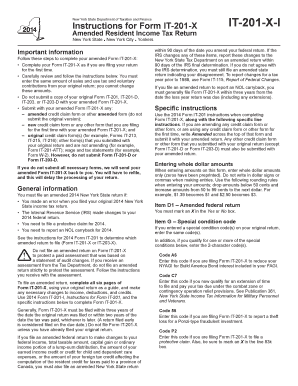
Get Ny Dtf It-201-x-i 2014
How it works
-

Open form follow the instructions
-

Easily sign the form with your finger
-

Send filled & signed form or save
How to fill out the NY DTF IT-201-X-I online
Filing an amended tax return can seem complex, but with this guide, you will learn how to fill out the NY DTF IT-201-X-I form efficiently. By following these clear steps, you can navigate the online process with confidence.
Follow the steps to complete your amended tax return online.
- Press the ‘Get Form’ button to access the IT-201-X-I form. This will allow you to open it and start making the necessary amendments.
- Complete the form as if you are filing for the first time. Input the same amounts for sales and use tax and voluntary contributions from your original return; these cannot be changed.
- Mark an 'X' in the appropriate box for Item D1 to indicate whether you are filing an amended federal return.
- For Item G, enter any special condition code(s) that apply, ensuring they match what was reported in your original return.
- In Line 34, indicate whether you are using the standard deduction or itemized deductions based on your previous filings.
- Enter your sales or use tax as it appeared on your original return in Line 59. Remember, this amount cannot be adjusted.
- In Line 60, report the total of any voluntary contributions as listed in your original return. Adjust these amounts only if previously adjusted by the Tax Department.
- Complete the refund request in lines 80 and 81, marking your preference for receiving your refund, whether it be through direct deposit, debit card, or paper check.
- For payment options in line 82, provide the necessary account information if you choose to authorize electronic funds withdrawal.
- Review your amendments carefully and ensure all required documents are included before submitting your form online.
- Once you finish filling out the form, save your changes, then download, print, or share the amended return as needed.
Take control of your tax amendments by completing the NY DTF IT-201-X-I online today.
Get form
Experience a faster way to fill out and sign forms on the web. Access the most extensive library of templates available.
You can find your state adjusted gross income by reviewing your completed New York tax return, typically on your form IT-201 or your latest tax documents. This figure plays a vital role in calculating your state tax obligations. If you need help identifying this information, refer to the NY DTF IT-201-X-I for clarity. Keeping organized records will help you locate this data quickly.
Get This Form Now!
Use professional pre-built templates to fill in and sign documents online faster. Get access to thousands of forms.