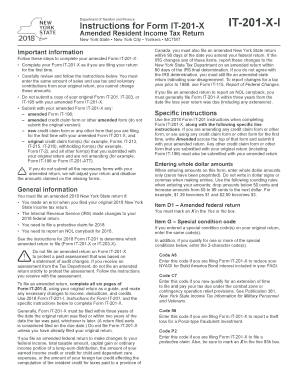
He resident credit for taxes paid to a province of Canada, you must also file an amended New York State return within 90 days of the date you amend your federal return. If the IRS changes any of these items, report these changes to the New York State Tax Department on an amended return within 90 days of the IRS final determination. If you do not agree with the IRS determination, you must still file an amended state return indicating your disagreement. To report changes for a tax year prior to 1.

How it works
  • Open form

    Open form follow the instructions

  • Easily sign form

    Easily sign the form with your finger

  • Share form

    Send filled & signed form or save

How to fill out the NY DTF IT-201-X-I online

Filling out the NY DTF IT-201-X-I form online can seem daunting, but with the right guidance, you'll find the process straightforward. This guide will help you understand each section of the form and provide clear instructions to ensure accurate completion.

Follow the steps to successfully complete your amended tax return

  1. Press the ‘Get Form’ button to obtain the form and open it in a suitable digital editor.
  2. Complete your Form IT-201-X as if you are filing your return for the first time, ensuring you replicate the same sales and use tax and voluntary contributions from your original return.
  3. Mark an X in the Yes or No box for Item D1, indicating whether you filed an amended federal return.
  4. If applicable, enter the special condition code(s) for Item G based on the specific reasons for your amendment, ensuring you provide the same codes as in your original return.
  5. For Line 34, choose between entering the standard deduction or itemized deduction based on your eligibility. Submit original Form IT-196 if applicable.
  6. On Line 59, enter the amount of New York State and local sales or use tax reported on your original return; remember this amount cannot be changed.
  7. For Line 60, enter the voluntary contributions as they appeared on your original return, noting that these figures also cannot be changed.
  8. Fill out Line 76 with the amount you paid with your original return and any additional tax payments made since then.
  9. Determine your refund on Line 80 if applicable, choosing between direct deposit or paper check for your refund method.
  10. Complete Line 82 for direct deposit, ensuring all account information is accurate, or select the appropriate method for payment if you owe tax.
  11. Review all information filled out on the form and submit your completed form either by mail or through the appropriate online submission method. Ensure all necessary documents are included.

Ensure you complete your tax documents online accurately and efficiently for a smooth filing experience.

Get form

Experience a faster way to fill out and sign forms on the web. Access the most extensive library of templates available.

Related content

Instructions for Form IT-201-X Amended Resident...

You must file an amended 2024 New York State return if: • You made an error when you...

Learn more
Q14-43 Medicaid Eligibility Assistance

Jan 29, 2014 — Article XI of the State Finance Law if the assignment, transfer...

Learn more
Customer Information Control System (CICS) ...

This publication contains detailed information necessary to implement three IBM program...

Learn more
Questions & Answers

Get answers to your most pressing questions about US Legal Forms API.

Contact support

How to calculate New York adjusted gross income?

To calculate your New York adjusted gross income, start with your federal adjusted gross income and make necessary modifications allowed by New York State tax laws. This can include deductions and add-backs specific to New York. The NY DTF IT-201-X-I form can guide you through adjustments if you're amending a return. For additional help, UsLegalForms offers resources to assist you in calculating your income correctly.

You should file your NY form IT-201 with the New York State Department of Taxation and Finance. The filing options include mailing your completed form or using electronic filing services. When making amendments with the NY DTF IT-201-X-I, follow the specific instructions for filing to avoid delays. UsLegalForms offers tools and resources to help ensure your filing is accurate and timely.

Yes, you can electronically file a New York State amended return. Use the NY DTF IT-201-X-I form for this purpose, which allows for corrections to your previously submitted tax return. Electronic filing simplifies the amendment process and provides confirmation of submission. Explore UsLegalForms to find resources on e-filing options tailored to your needs.

Mail your New York state estimated taxes to the address designated for payments in the New York State Tax Guide. This information can be found on the New York State website or directly on your estimate form. Ensure you use the correct NY DTF IT-201-X-I form if amending any prior estimated taxes. UsLegalForms can help you navigate the process efficiently.

You need to file New York form IT-203 with the New York State Department of Taxation and Finance. Submissions can typically be mailed or filed electronically for convenience. If you are using the NY DTF IT-201-X-I for amendments, make sure your details match your original filing. Consider using UsLegalForms for a streamlined experience and accurate submissions.

You should mail your federal tax return to the address specified for your state in the IRS instructions. If you are filing a full return, make sure to include your complete tax form. For those using NY DTF IT-201-X-I, ensure you have your documents correctly filled out before sending them. Always check the most up-to-date mailing addresses on the IRS website.

You might receive mail from the NYS Department of Taxation and Finance for several reasons, including follow-ups on your tax filings or notices regarding discrepancies with your tax returns. It is essential to review this mail carefully to understand any required actions on your part. If you need help interpreting the correspondence, US Legal Forms can provide resources to aid you in managing your tax documents effectively.

NYS DTF tax payment refers to payments made to the New York State Department of Taxation and Finance for fulfilling tax obligations. These payments can cover income, sales, and other taxes that residents and non-residents may owe. It is crucial to make these payments accurately and on time to avoid any penalties or interest. If you are seeking clarity on making these payments, US Legal Forms offers valuable assistance in managing your tax responsibilities.

To cancel your NYS estimated tax payment, you can follow the instructions provided on the New York State Department of Taxation and Finance website. Typically, this involves submitting a request or adjusting your payment schedule through their online portal. It’s important to take these steps well in advance to avoid any penalties. For step-by-step guidance, check out the resources available on US Legal Forms, which can simplify this process for you.

Receiving nonresident income from New York sources means that you have earned income from New York while not being a resident of the state. This can occur through various means, such as employment, rental income, or business activities. As a nonresident, you are still required to report this income and file the appropriate tax forms, such as the NY DTF IT-201-X-I, to ensure you meet your tax responsibilities. For assistance with filing as a nonresident, consult US Legal Forms for straightforward filing tools.

Get This Form Now!

Use professional pre-built templates to fill in and sign documents online faster. Get access to thousands of forms.

If you believe that this page should be taken down, please follow our DMCA take down process here.

NY DTF IT-201-X-I Form

This form is available in several versions. Select the version you need from the drop-down list below.

Get NY DTF IT-201-X-I