Loading
Get Ny Dtf It-201 2014
How it works
-

Open form follow the instructions
-

Easily sign the form with your finger
-

Send filled & signed form or save
How to fill out the NY DTF IT-201 online
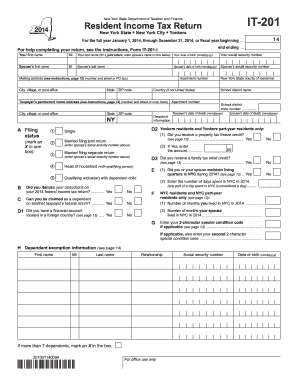
Filling out the New York State Resident Income Tax Return, known as IT-201, can feel daunting. This guide provides clear, step-by-step instructions to help users complete the form accurately and efficiently online.
Follow the steps to successfully complete the NY DTF IT-201 online.
- Click the ‘Get Form’ button to access the IT-201 document and open it in your preferred online editor.
- Begin by entering your personal information, including your first name, middle initial, last name, date of birth, and social security number. If you're filing jointly, complete the same fields for your spouse.
- Fill in your mailing address, ensuring that you include your city, state, zip code, and any country information if applicable.
- Indicate your filing status by marking an 'X' in the appropriate box for options such as married filing joint, married filing separate, single, head of household, or qualifying widow(er).
- Answer the questions regarding deductions and credits such as if you itemized deductions on your federal return and if you can be claimed as a dependent on another's return.
- Report your income figures in the provided sections. You'll need to enter details for wages, taxable interest, dividends, and other income types.
- Determine your New York additions or subtractions by following the sections related to taxable refunds, pensions, and other income adjustments specific to New York.
- Complete the section for deductions, selecting between the standard deduction or itemized deduction and entering the appropriate numbers.
- Calculate your taxable income by subtracting any deductions and exemptions from your adjusted gross income.
- Proceed to fill out the tax computation line by line, entering credits, household credits, nonrefundable credits, and total taxes owed.
- Lastly, review the refund or amount owed section, ensuring you provide any necessary banking information for direct deposits.
- Once you have completed all sections, you can save your changes, download a copy, print it for mailing, or share the completed form as needed.
Complete your NY DTF IT-201 online today to ensure a timely and accurate tax submission.
Get form
Experience a faster way to fill out and sign forms on the web. Access the most extensive library of templates available.
When mailing your New York state estimated taxes, you should send payment to the address listed for your specific type of payment option. If you are using Form IT-2105, the mailing address will differ depending on whether you are including a payment or not. Always refer to the latest information provided by the NY DTF IT-201 guidelines to ensure your payments are directed correctly. Staying organized can help prevent potential penalties.
Get This Form Now!
Use professional pre-built templates to fill in and sign documents online faster. Get access to thousands of forms.