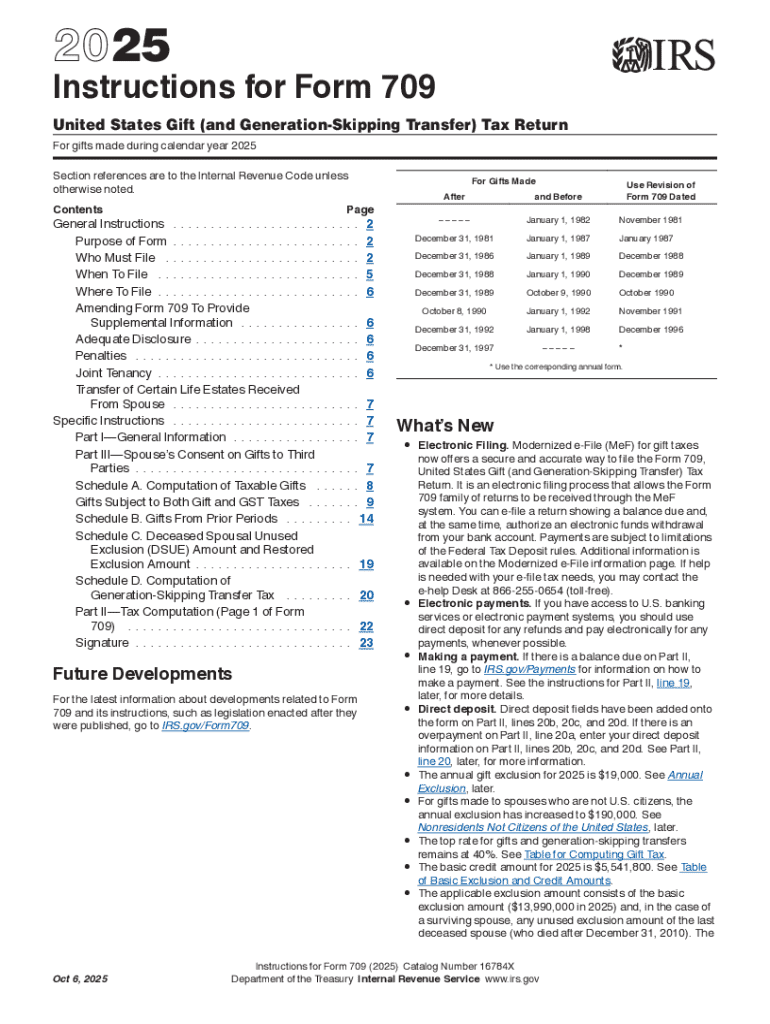
Ise noted. Contents For Gifts Made Page General Instructions . . . . . . . . . . . . . . . . . . . . . . . . . 2 Purpose of Form . . . . . . . . . . . . . . . . . . . . . . . . . 2 Who Must File . . . . . . . . . . . . . . . . . . . . . . . . . . 2 When To File . . . . . . . . . . . . . . . . . . . . . . . . . . . 5 Where To File . . . . . . . . . . . . . . . . . . . . . . . . . . . 6 Amending Form 709 To Provide Supplemental Information . . . . . . . . . . . . . . . . 6 Adequate Disclosure .
Loading

Open form follow the instructions

Easily sign the form with your finger

Send filled & signed form or save
How to use or fill out the IRS 709 Instructions online
This guide provides a clear and detailed overview of how to fill out the IRS Form 709, which is used for reporting United States gift and generation-skipping transfer taxes. Follow the instructions to ensure accurate completion of the form online.
Follow the steps to complete the IRS 709 Instructions online.
- Click ‘Get Form’ button to obtain the form and open it in the editor.
- Review the general instructions to understand the purpose of Form 709, who must file, and when to file.
- Determine if you are required to file Form 709 based on the gifts made during the year.
- Complete lines 1 through 19 of Part 1—General Information, ensuring accurate details such as your name and Social Security Number.
- List each reportable gift on Part 1, 2, or 3 of Schedule A, as appropriate, detailing the value of each gift.
- Complete Schedules B, C, and D, as applicable, based on the types of gifts reported.
- If any gift was listed on Part 2 or 3 of Schedule A, complete the necessary portions of Schedule D for reporting GST tax.
- Finalize and complete Schedule A, Part 4, ensuring all pertinent information is filled out before moving on.
- Complete Part 2—Tax Computation, detailing tax calculations based on the completed information.
- Sign and date the return, ensuring compliance, especially if you are splitting gifts with a partner.
- After completing the form, you can save changes, download, print, or share the form as necessary.
Don't hesitate to file your documents online to ensure a smooth process.
Experience a faster way to fill out and sign forms on the web. Access the most extensive library of templates available.
Related content
Instructions for Form 709 - Introductory Material ... List all reportable gifts made...
(e) Gifts subject to chapter 14 of the Internal Revenue Code not adequately ... is not...
Gift Tax Return Form 709 Instructions · Generic placeholder ... Gift Tax 2018 - Not a Big...
Get answers to your most pressing questions about US Legal Forms API.
How much money can you gift in 2019?
The IRS also confirmed that the annual gift exclusion amount for 2019 remains at $15,000 per individual per year, unchanged from 2018. This means you can give $15,000 to as many people you want (me, for instance) each year without filing a gift tax return.
How does the IRS know if I give a gift?
If you give one person more than the exemption amount during the tax year, you must report the gift to the IRS on the IRS Form 709. You are required by law to report the gift, and if you don't, it could come out in an audit. This is how the IRS determines whether you owe gift tax.
Is there a penalty for not filing a gift tax return?
A filing extension does not relieve you of paying the tax on the normal filing date. If you fail to file the gift tax return, you'll be assessed a gift tax penalty of 5 percent per month of the tax due, up to a limit of 25 percent.
Who has to file a gift tax return?
In general. If you are a citizen or resident of the United States, you must file a gift tax return (whether or not any tax is ultimately due) in the following situations. If you gave gifts to someone in 2018 totaling more than $15,000 (other than to your spouse), you probably must file Form 709.
Do you have to report a gift to the IRS?
The person who receives your gift does not have to report the gift to the IRS or pay gift or income tax on its value. You make a gift when you give property, including money, or the use or income from property, without expecting to receive something of equal value in return. ... Gifts to charities.
Do I need to file gift taxes?
Only individuals are required to file Form 709 not trusts, estates, partnerships or corporations. You typically must file a gift tax return even if you ultimately don't owe any tax. You are not required to file a gift tax return for tax-deductible gifts you made last year to qualified 501(c)(3) charities.
How long do you have to file a gift tax return?
When to File Generally, the estate tax return is due nine months after the date of death. A six month extension is available if requested prior to the due date and the estimated correct amount of tax is paid before the due date. The gift tax return is due on April 15th following the year in which the gift is made.
Do you have to file a gift tax return for annual exclusion gifts?
You many need to file a gift tax return If you make a taxable gift (one in excess of the annual exclusion), you must file Form 709: U.S. Gift (and Generation-Skipping Transfer) Tax Return. The return is required even if you don't actually owe any gift tax because of the $11.180 million lifetime exemption.
What happens if I don't file a gift tax return?
When you're not liable for gift tax, there's no penalty for late filing. Since the $5.25 million lifetime exclusion from gift tax and any gift tax you pay are cumulative, you must keep the returns indefinitely. Your heirs need them to calculate the tax, if any, on your estate.
Who must file a federal gift tax return?
WHAT IS Gift Tax Return. A gift tax return is a federal tax form. Individuals who receive a gift that exceeds the annual or lifetime exempt gift limit established by the IRS must fill out the form when filing their taxes. As of 2018, the gift tax exemption is $15,000 a year.
Use professional pre-built templates to fill in and sign documents online faster. Get access to thousands of forms.
If you believe that this page should be taken down, please follow our DMCA take down process here.