Loading
Get Ak 6390i 2015
How it works
-

Open form follow the instructions
-

Easily sign the form with your finger
-

Send filled & signed form or save
How to fill out the AK 6390i online
This guide provides clear and supportive instructions for completing the AK 6390i form online. By following these steps, users can ensure the correct submission of federal-based credits on an as-if Alaska basis.
Follow the steps to complete the AK 6390i form with ease.
- Locate and press the ‘Get Form’ button to access the AK 6390i form and open it in your preferred online editor.
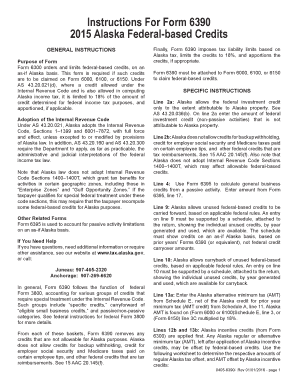
- Begin by entering the amount of federal investment credit on line 2a. Ensure that this credit is specifically attributable to Alaska property as required by AS 43.20.036(b).
- On line 2b, note that Alaska does not allow certain credits such as those for backup withholding or employer social security taxes. Make sure to omit these when completing the form.
- For line 4, refer to Form 6395 to provide the amount of general business credits from a passive activity. Input the figure from Form 6395, line 17.
- On line 9, report any unused federal-based credits carried forward. Attach a detailed schedule showing the individual unused credits available, organized by year generated and used, based on prior years’ Forms 6390.
- Similarly, on line 10, provide documentation for any credits being carried back, again with a schedule detailing the applicable credits as specified.
- On line 13a, enter the Alaska alternative minimum tax found on Schedule E, deducting any applicable AMT credit from the previous year.
- Calculate and report any offset credits on lines 12b and 13b, first applying Alaska incentive credits according to the provided worksheet for accuracy.
- On line 21, report specified credits from passive activities, utilizing Form 6395, line 18 for accurate figures.
- Complete lines 26a–26b and 27a following the same approach used for lines 9 and 10, ensuring all necessary schedules are attached.
- After completing all steps, review your entries, then save your changes and download, print, or share the form as needed to ensure submission.
Start completing your documents online today for a smooth submission process.
Get form
Experience a faster way to fill out and sign forms on the web. Access the most extensive library of templates available.
Related links form
To file K-1 using TurboTax, select the appropriate version and navigate to the section for investment income. Enter the details from your K-1 form accurately into TurboTax's designated fields. The AK 6390i feature simplifies this process, ensuring you capture all necessary information and file accurately.
Get This Form Now!
Use professional pre-built templates to fill in and sign documents online faster. Get access to thousands of forms.