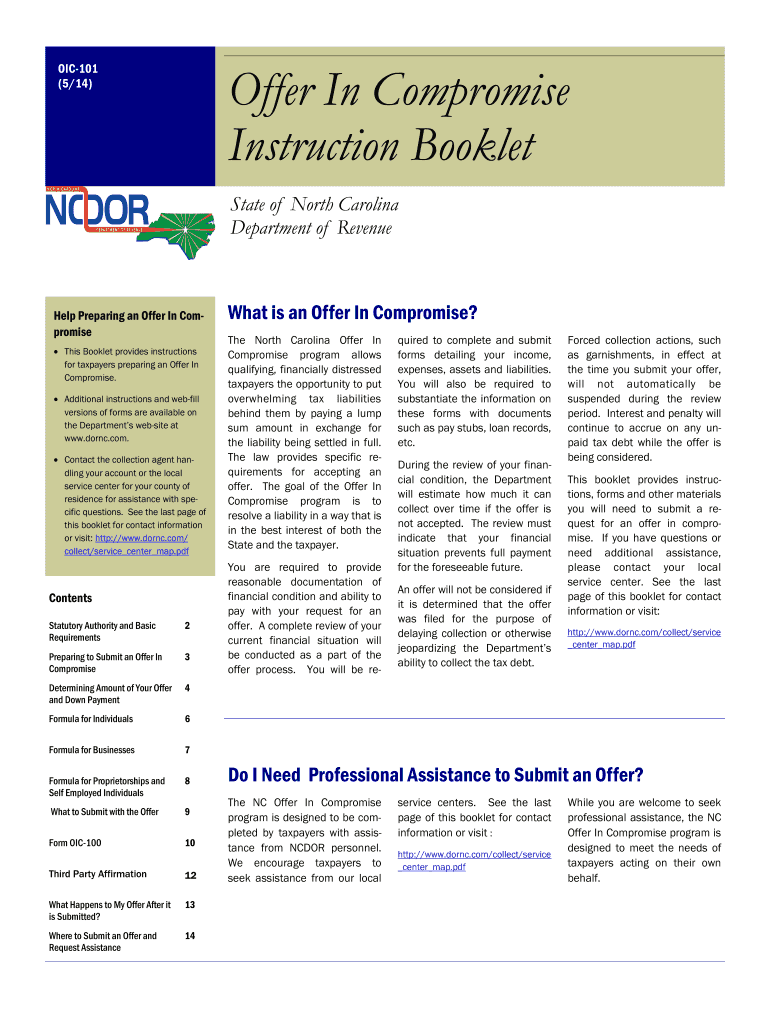
NC Offer In Compromise program is designed to be completed by taxpayers with assistance from NCDOR personnel. We encourage taxpayers to seek assistance from our local service centers. See the last page of this booklet for contact information or visit : http://www.dornc.com/collect/service center map.pdf While you are welcome to seek professional assistance, the NC Offer In Compromise program is designed to meet the needs of taxpayers acting on their own behalf. OIC-101 Page 2 Statutory Ba.
Loading

Open form follow the instructions

Easily sign the form with your finger

Send filled & signed form or save
How to fill out the NC OIC-101 online
The NC OIC-101 form is essential for taxpayers in North Carolina who wish to submit an Offer in Compromise to settle tax liabilities. This guide will provide a clear, step-by-step approach to completing this form online, ensuring that you understand each section and field required for a successful submission.
Follow the steps to successfully complete your NC OIC-101 online.
- Click the ‘Get Form’ button to obtain the form and open it in the online editor.
- Begin by filling out the taxpayer's personal information such as name, address, and social security number (SSN) or federal employer identification number (FEIN). Ensure all information is accurate and complete.
- In section 2, identify the outstanding tax liabilities. Mark the appropriate tax types (individual income, sales & use, withholding, etc.) and specify the corresponding periods and amounts due.
- Proceed to section 3 to indicate the basis for your compromise. Check all relevant boxes that apply to your situation. It could be owing a reasonable amount or being unable to pay the full liability.
- Complete section 5 where you provide the amount of your offer. Calculate and fill in the 20% down payment in section 6, ensuring the payment is in certified funds.
- If applicable, in section 7, provide information about the sources of funds, especially if it comes from a third party. Attach the Third Party Affirmation form (OIC-102) if needed.
- In section 8, you can explain any special circumstances related to your compromise. Clarify any doubts about liability or state particular situations affecting your ability to pay.
- Review all filled sections for accuracy before finalizing your submission. Make sure to include any supporting documentation as outlined in the instruction booklet.
- Save your completed form, and then download, print, or share it as required for submission to the Department.
Start completing your NC OIC-101 online today to address your tax liabilities effectively.
Experience a faster way to fill out and sign forms on the web. Access the most extensive library of templates available.
Related content
The Offer In Compromise Instruction Booklet (OIC-101) describes the statutory authority...
The framework, development levels, responsibilities, and standards of our enlisted force...
“Newco”, “OIC”, and “Cooper Valves” brand name valves are used in various...
Get answers to your most pressing questions about US Legal Forms API.
What is NC 101?
NC 101 refers to the form used for reporting wages and unemployment insurance tax obligations in North Carolina. This form is crucial for employers to comply with state tax regulations. Properly managing your NC 101 submissions is part of ensuring compliance, alongside understanding frameworks like the NC OIC-101.
How to avoid NC underpayment penalty?
To avoid the NC underpayment penalty, consistently monitor your earnings and submit estimated tax payments timely. It's also wise to adjust your withholding or estimated payments whenever your financial situation changes. Following the NC OIC-101 guidelines can further assist in managing your payments and avoiding penalties.
How do I request to waive penalties in NC?
To request a waiver of penalties in North Carolina, complete the necessary forms or provide a written explanation detailing your situation. You may need to provide documentation that supports your request. Tools like NC OIC-101 can help guide you through the waiver process and ensure all requirements are met.
What is the exception to the underpayment of estimated tax in NC?
In North Carolina, an exception to the underpayment of estimated tax applies if your total tax owed is less than $500. Additionally, if you meet specific criteria, such as being a low-income earner, you might qualify for relief. Understanding these exceptions can help you navigate obligations through the NC OIC-101 effectively.
Can you file ncui 101 online?
Yes, you can file the NCUI 101 online, streamlining your process for reporting wages and paying unemployment taxes. Many find that using digital platforms such as ours simplifies the filing experience. Connecting with tools under the NC OIC-101 ensures accurate submissions and compliance with state requirements.
How do I get my underpayment penalty waived?
To request a waiver for your underpayment penalty, you should submit a written request to the North Carolina Department of Revenue explaining your circumstances. In your communication, include supporting documentation that shows why the penalty should be waived. Engaging with the NC OIC-101 process can provide more structure to your waiver request.
What is the standard deduction for 2025 in NC?
The standard deduction for 2025 in North Carolina varies based on your filing status. However, it is essential to stay updated on changes that may affect this deduction. Utilizing the NC OIC-101 guidelines can provide insights into maximizing your deductions and credits for your tax situation.
What is the NC tax offer in compromise?
The NC tax offer in compromise is a program that allows taxpayers to settle their tax debts for less than the full amount owed. By presenting a clear case for financial hardship, you can negotiate a lower repayment amount. This option can provide relief and help you regain financial stability while complying with NC OIC-101 guidelines.
How many exemptions should I withhold?
The number of exemptions you should withhold varies based on your individual circumstances, including family size and income level. It's essential to calculate correctly to avoid under-withholding or over-withholding. The NC OIC-101 provides a clear understanding of how to assess your exemption needs based on your tax situation.
How to stop NC state tax garnishment?
To stop NC state tax garnishment, you should contact the North Carolina Department of Revenue promptly and discuss your situation. You may need to offer a reasonable payment plan or request a review of your garnishment. Utilizing the NC OIC-101 can help you understand your rights and the steps to take effectively.
Use professional pre-built templates to fill in and sign documents online faster. Get access to thousands of forms.
If you believe that this page should be taken down, please follow our DMCA take down process here.
This form is available in several versions. Select the version you need from the drop-down list below.