Loading
Get Mn Dor M1 2015
How it works
-

Open form follow the instructions
-

Easily sign the form with your finger
-

Send filled & signed form or save
How to fill out the MN DoR M1 online
Filling out the MN DoR M1 tax form online can be a straightforward process when approached step-by-step. This guide aims to provide clear and supportive instructions to help you navigate each section of the form effectively.
Follow the steps to complete the MN DoR M1 form online.
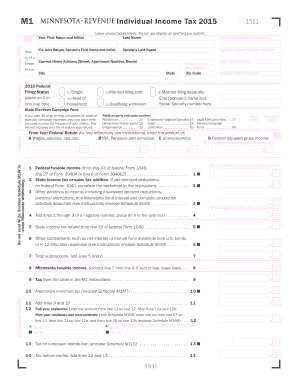
- Click ‘Get Form’ button to obtain the MN DoR M1 tax form and open it in the preferred editor for completion.
- Begin by entering your personal information. Provide your first name, last name, and date of birth. If applicable, include your spouse’s information, ensuring to fill in their first name, last name, and Social Security Number.
- Complete your current home address by including your street address, apartment number (if any), city, state, and zip code. If you have a new address, mark the box accordingly.
- Select your filing status by placing an X in the appropriate oval box. You can choose from options such as 'Single,' 'Married filing jointly,' 'Married filing separately,' or 'Head of household.'
- Report your federal income amounts in the indicated boxes: wages, salaries, pensions, and unemployment benefits. Ensure that these numbers reflect your federal tax return details.
- Fill out the calculations regarding your state income tax additions and subtractions in the respective fields. This includes completing additional forms if required, such as the Schedule M1M.
- Calculate your Minnesota taxable income by following the guideline of subtracting identified deductions from your total income, as outlined in the form.
- Determine your tax amount by using the tax tables provided in the M1 instructions. Carefully input the calculated tax values into the appropriate sections.
- Input any nonrefundable tax credits you may be eligible for in the specified areas and ensure these amounts are accurately calculated.
- Finally, decide how to handle any refund or amount due. If expecting a refund, complete the direct deposit information for easier processing. If there’s an amount owed, follow the instructions provided.
- Review all information you have entered for accuracy. Once confirmed, you can save changes, download the document, print it for submission, or share it as needed.
Start filling out your MN DoR M1 form online today and ensure you meet your tax obligations efficiently.
Get form
Experience a faster way to fill out and sign forms on the web. Access the most extensive library of templates available.
The MN DoR M1 forms refer specifically to Minnesota's individual income tax return forms. These forms are essential for filing your state taxes and can be used for original and amended returns. It's not just a form; it represents your financial obligations for the year. Utilizing these forms accurately can greatly simplify your tax filing experience.
Get This Form Now!
Use professional pre-built templates to fill in and sign documents online faster. Get access to thousands of forms.