Loading
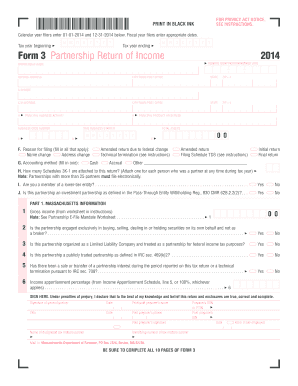
Get Ma Dor 3 2014
How it works
-

Open form follow the instructions
-

Easily sign the form with your finger
-

Send filled & signed form or save
How to fill out the MA DoR 3 online
Filling out the MA DoR 3 form online can seem daunting, but this comprehensive guide will walk you through each section of the form to ensure that you complete it accurately and efficiently. Follow these steps carefully to submit your form with confidence.
Follow the steps to complete the MA DoR 3 online.
- Press the ‘Get Form’ button to access the MA DoR 3 form and open it in your online editor.
- Enter the tax year information: For calendar year filers, input the start date as 01-01-2014 and the end date as 12-31-2014. If you are a fiscal year filer, please enter the appropriate dates.
- Fill in the federal identification number (FID) for the partnership. This is a unique nine-digit number assigned to your business by the IRS.
- Complete the sections for partnership name and mailing address. Make sure to provide the city/town, state, and ZIP+4 code accurately.
- Indicate the principal product or service of the partnership, along with the corresponding business code number.
- Mark the date when the business started and enter your total assets.
- In section F, specify the reason for filing by selecting all that apply: name change, address change, amended return, etc.
- Select the accounting method utilized by your partnership, either cash or accrual.
- Indicate how many Schedules 3K-1 are attached. Ensure that you attach one for each individual who was a partner at any time during the tax year.
- Address the lower-tier entity membership question and determine if the partnership is an investment partnership.
- Proceed to fill out the Massachusetts specific information, including gross income and details related to tax withholding.
- Complete all pertinent sections for income calculation, deductions, partners’ distributive share items, and ensure that all entries are accurate.
- Once you have entered all required information and verified your entries, use the options to save changes, download, print, or share the completed form as needed.
Ready to submit your MA DoR 3? Complete your form online today!
Get form
Experience a faster way to fill out and sign forms on the web. Access the most extensive library of templates available.
To fill out step 3 of the employee withholding certificate, first determine your exemption eligibility based on the current tax guidelines. Provide accurate personal details and any other necessary information as outlined in the MA DoR instructions. It is essential to complete these steps accurately to ensure proper withholding of taxes from your paycheck.
Get This Form Now!
Use professional pre-built templates to fill in and sign documents online faster. Get access to thousands of forms.