Loading
Form preview
  • US Legal Forms
  • Other Templates
  • Tax Forms
  • Massachusetts Tax Forms
  • Ma Dor 1 Instructions 2014

Get Ma Dor 1 Instructions 2014

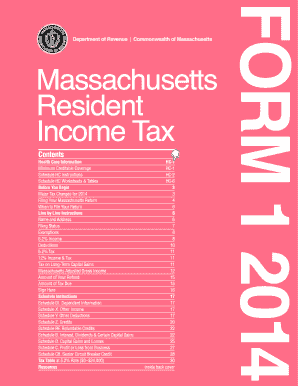
Tain affordable coverage for taxable year 2014 are set out in TIR 14-3 and are based on half of the minimum monthly insurance premium for which an individual would have qualified through the Connector. Schedule HC, Health Care Information, must be completed by all full-year residents and certain part-year residents age 18 and over to notify the Department whether or not they had health insurance in each month of 2014. Taxpayers who did not have coverage for all of 2014, or had a gap in coverage.

How it works

  1. Open form

    Open form follow the instructions

  2. Easily sign form

    Easily sign the form with your finger

  3. Share form

    Send filled & signed form or save

How to fill out the MA DoR 1 Instructions online

This guide provides a comprehensive walkthrough for completing the MA DoR 1 Instructions online. Designed to support users of all experience levels, you will find clear and instructive steps that guide you through each section and field of the form.

Follow the steps to successfully complete your MA DoR 1 Instructions online.

  1. Press the ‘Get Form’ button to obtain the form and load it for editing.
  2. Enter your name and address in the designated fields accurately as they appear on your legal documents.
  3. Select your filing status by marking the appropriate oval that reflects your current situation, such as single, married filing jointly, or head of household.
  4. Report any exemptions by accurately entering the number for personal exemptions and dependents in the specified sections.
  5. Input your total income figures on the respective lines, ensuring to include wages, pensions, and any other taxable sources.
  6. Complete the deductions section by providing any allowable deductions based on your situation, and calculate your adjusted gross income.
  7. Follow the instructions for calculating your tax due based on the provided tax table.
  8. If applicable, claim any credits by completing the necessary schedules and including them in the appropriate sections of your MA DoR 1 form.
  9. Review your entries for accuracy and completeness before saving your changes.
  10. Finally, download, print, or share your completed MA DoR 1 Instructions form as necessary.

Don't delay, start filling out your MA DoR 1 Instructions online today!

Get form

Experience a faster way to fill out and sign forms on the web. Access the most extensive library of templates available.

Related content

Massachusetts Personal Income Tax Forms and...
Jan 15, 2024 — DOR has released its 2024 Massachusetts Personal Income tax forms. You...
Learn more
Resident Income Tax
Also, be sure to use the correct 2D barcode mailing address: PO Box 7000 for refunds/ no...
Learn more
Manual do Usuário
Para facilitar a ignição, acenda o queimador antes de colocar a panela sobre a grade...
Learn more

Related links form

KS Order 2012 KS Order Accepting Waiver of Detention Hearing and Order for Detention 2017 KS Order Allowing Service by Publication 2016 KS Order Appointing Attorney 2013

Questions & Answers

Get answers to your most pressing questions about US Legal Forms API.

Contact support

MA Form 1 must be filed by all Massachusetts residents who earn income that is subject to state tax. This includes those with wages, self-employment income, and certain other sources of income. By following the MA DoR 1 Instructions, filers can ensure they meet all requirements and take advantage of any applicable deductions or credits.

A principal reporting corporation in Massachusetts is typically the corporation in a corporate group responsible for reporting the group’s combined taxable income. This corporation must file the combined return on behalf of all corporations within the group. Understanding the requirements outlined in the MA DoR 1 Instructions is vital for compliance and accurate reporting.

Form 1, the Massachusetts Personal Income Tax return, should be mailed to the appropriate address provided on the form itself. Generally, if you're expecting a refund, mail it to the address for refunds; if you owe taxes, send it to the address for payments. Always refer to the MA DoR 1 Instructions for the latest mailing addresses to ensure prompt processing by the Massachusetts Department of Revenue.

Form 1 py refers to the Massachusetts Personal Income Tax return for the prior year. It allows residents to report their income and calculate their tax liabilities for the last tax year. Utilizing the MA DoR 1 Instructions can help taxpayers accurately complete this form and ensure that they claim all applicable deductions and credits.

To obtain a Massachusetts withholding account number, you need to register online through the Massachusetts Department of Revenue's website. During the registration process, provide relevant business information, including your Federal Employer Identification Number (FEIN). Once registered, you will receive your MA withholding account number, which is useful for fulfilling your tax obligations, as outlined in the MA DoR 1 Instructions.

In Massachusetts, a fiduciary return must be filed by trustees, executors, or administrators managing an estate or trust. If the estate or trust has income that is taxable under Massachusetts laws, it is necessary to file the return. Additionally, understanding the MA DoR 1 Instructions is essential for ensuring compliance and accuracy in reporting income from the estate or trust.

You can file your MA Form 1 with the Massachusetts Department of Revenue. According to MA DoR 1 Instructions, it is important to send it to the appropriate address based on your residency status. Keep in mind that filing electronically through platforms like uslegalforms can streamline the process and ensure your documents are submitted correctly and on time.

The IRS prefers paperclips over staples for securing documents, particularly tax returns. Following the MA DoR 1 Instructions can help you avoid any processing delays caused by staples. By opting for a paperclip, you ensure that your forms remain together without risking any damage during their review.

No, you should not staple your W-2 to your tax return as per MA DoR 1 Instructions. Instead, use a paperclip to attach the forms without risking damage. This practice ensures that your W-2 remains intact for processing, allowing the IRS to verify your income accurately.

It is best to use a paperclip instead of staples for your tax return, as highlighted in the MA DoR 1 Instructions. Paperclips are easier to remove and do not pose a risk of damaging your documents during processing. Following these guidelines helps ensure that your tax return is reviewed efficiently and accurately.

Get This Form Now!

Use professional pre-built templates to fill in and sign documents online faster. Get access to thousands of forms.
If you believe that this page should be taken down, please follow our DMCA take down processhere.
Get MA DoR 1 Instructions
  • Adoption
  • Bankruptcy
  • Contractors
  • Divorce
  • Home Sales
  • Employment
  • Identity Theft
  • Incorporation
  • Landlord Tenant
  • Living Trust
  • Name Change
  • Personal Planning
  • Small Business
  • Wills & Estates
  • Packages A-Z
  • Affidavits
  • Bankruptcy
  • Bill of Sale
  • Corporate - LLC
  • Divorce
  • Employment
  • Identity Theft
  • Internet Technology
  • Landlord Tenant
  • Living Wills
  • Name Change
  • Power of Attorney
  • Real Estate
  • Small Estates
  • Wills
  • All Forms
  • Forms A-Z
  • Other Templates
  • Legal Hub
  • About Us
  • Help Portal
  • Legal Resources
  • Blog
  • Affiliates
  • Contact Us
  • Delete My Account
  • Site Map
  • Industries
  • Forms in Spanish
  • Localized Forms
  • State-specific Forms
  • Forms Kit
  • Real Estate Handbook
  • All Guides
  • Notarize
  • Incorporation services
  • For Consumers
  • For Small Business
  • For Attorneys
  • USLegal
  • FormsPass
  • pdfFiller
  • signNow
  • altaFlow
  • DocHub
  • Instapage
Form Packages
  • Adoption
  • Bankruptcy
  • Contractors
  • Divorce
  • Home Sales
  • Employment
  • Identity Theft
  • Incorporation
  • Landlord Tenant
  • Living Trust
  • Name Change
  • Personal Planning
  • Small Business
  • Wills & Estates
  • Packages A-Z
Form Categories
  • Affidavits
  • Bankruptcy
  • Bill of Sale
  • Corporate - LLC
  • Divorce
  • Employment
  • Identity Theft
  • Internet Technology
  • Landlord Tenant
  • Living Wills
  • Name Change
  • Power of Attorney
  • Real Estate
  • Small Estates
  • Wills
  • All Forms
  • Forms A-Z
  • Other Templates
Customer Service
  • Legal Hub
  • About Us
  • Help Portal
  • Legal Resources
  • Blog
  • Affiliates
  • Contact Us
  • Delete My Account
  • Site Map
  • Industries
  • Forms in Spanish
  • Localized Forms
  • State-specific Forms
  • Forms Kit
Legal Guides
  • Real Estate Handbook
  • All Guides
Prepared for you
  • Notarize
  • Incorporation services
Our Customers
  • For Consumers
  • For Small Business
  • For Attorneys
Our Sites
  • USLegal
  • FormsPass
  • pdfFiller
  • signNow
  • altaFlow
  • DocHub
  • Instapage
Social Media
Call us now toll free:
+1 833 426 79 33
As seen in:
© Copyright 1999-2026 airSlate Legal Forms, Inc. 17 Station Street, Suite 303, Brookline, MA 02445
  • Your Privacy Choices
  • Terms of Service
  • Privacy Notice
  • Content Takedown Policy
  • Bug Bounty Program
MA DoR 1 Instructions
This form is available in several versions.
Select the version you need from the drop-down list below.
2020 MA DoR 1 Instructions
Select form
  • 2020 MA DoR 1 Instructions
  • 2019 MA DoR 1 Instructions
  • 2018 MA DoR 1 Instructions
  • 2017 MA DoR 1 Instructions
  • 2014 MA DoR 1 Instructions
  • 2013 MA DoR 1 Instructions
Select form