Loading
Get Irs 433-a (oic) 2023-2026
How it works
-

Open form follow the instructions
-

Easily sign the form with your finger
-

Send filled & signed form or save
How to fill out the IRS 433-A (OIC) online
The IRS 433-A (OIC) form is essential for individuals submitting an Offer in Compromise to settle their tax liabilities. This guide provides clear, step-by-step instructions on how to complete this document online, ensuring that you accurately report your financial information.
Follow the steps to fill out the IRS 433-A (OIC) form with ease.
- Press the ‘Get Form’ button to access the IRS 433-A (OIC) form and open it in your preferred editor.
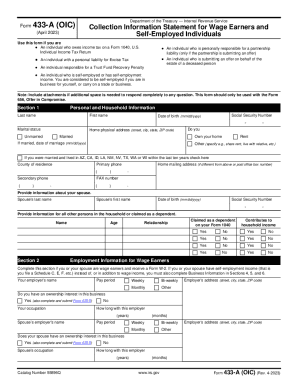
- Begin by entering your personal and household information in Section 1. This includes your name, Social Security Number, date of birth, marital status, address, and contact numbers. Ensure all entries are accurate and complete.
- In Section 2, provide detailed employment information for both yourself and your spouse, if applicable. This should include employer names, pay periods, job titles, and duration of employment.
- Move on to Section 3, where you will list all personal assets. Fill out details for bank accounts, investments, real estate, vehicles, and valuable personal items. Ensure accurate valuations and include any foreign assets as necessary.
- If self-employed, complete Section 4. Indicate your business structure, name, and provide financial information about your business assets in Section 5.
- Next, calculate your business income and expenses in Section 6 based on your profit and loss statements. This will help the IRS evaluate your offer.
- In Section 7, summarize your household income and expenses. Include all sources of income and average monthly expenses accurately to reflect your financial situation.
- Calculate your minimum offer amount in Section 8. This involves adding together available assets and future monthly income to determine an appropriate offer to the IRS.
- Review Section 9 for any additional information the IRS may require, such as litigation or bankruptcy status.
- Finally, sign and date the form in Section 10. Ensure that all required attachments are included before finalizing your submission.
- Once you have completed all sections, save your changes, and you may download, print, or share the filled form as necessary.
Complete your IRS 433-A (OIC) form online to take control of your tax situation today.
For these three forms, the difference is that the IRS Forms 433A and 433B are both six pages while the IRS Form 433F is two pages long. Also, the IRS Form 433A is for self-employed or wage earners while the IRS Form 433B is for businesses and the IRS Form 433F makes work easier since it includes both.