Loading
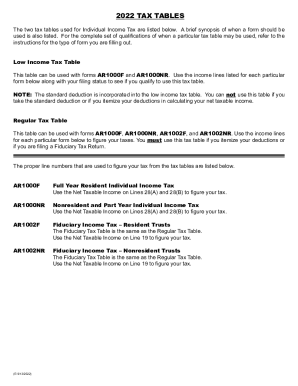
Get Ar Tax Tables 2022-2026
How it works
-

Open form follow the instructions
-

Easily sign the form with your finger
-

Send filled & signed form or save
How to fill out the AR Tax Tables online
This guide provides detailed instructions for users on how to complete the AR Tax Tables online. Understanding the various tax tables and related forms will facilitate accurate tax filing and compliance.
Follow the steps to fill out the AR Tax Tables effectively.
- Click ‘Get Form’ button to obtain the AR Tax Tables and open it in the editor.
- Select the appropriate tax table based on your filing status (individual, married joint, etc.). Refer to the qualifications outlined in the documentation to ascertain which table to use.
- Locate your Adjusted Gross Income. Input the amount in the designated field to find the corresponding tax amount on the table.
- For Low Income Tax Table, ensure you meet all the qualifications specified. Use the income line that corresponds with your Adjusted Gross Income and your filing status to determine your tax amount.
- For Regular Tax Table, locate your Net Taxable Income from the specified form lines (such as Line 28 for AR1000F and AR1000NR) and find the corresponding tax amount.
- If applicable, take into account standard or itemized deductions before finalizing your tax calculation, especially when using the Regular Tax Table.
- Once you have completed your entries, review your entries for accuracy. Save changes, and choose to download, print, or share the completed form as needed.
Start filing your documents online for a smoother tax process.
While bonuses are subject to income taxes, they don't simply get added to your income and taxed at your top marginal tax rate. Instead, your bonus counts as supplemental income and is subject to federal withholding at a 22% flat rate.