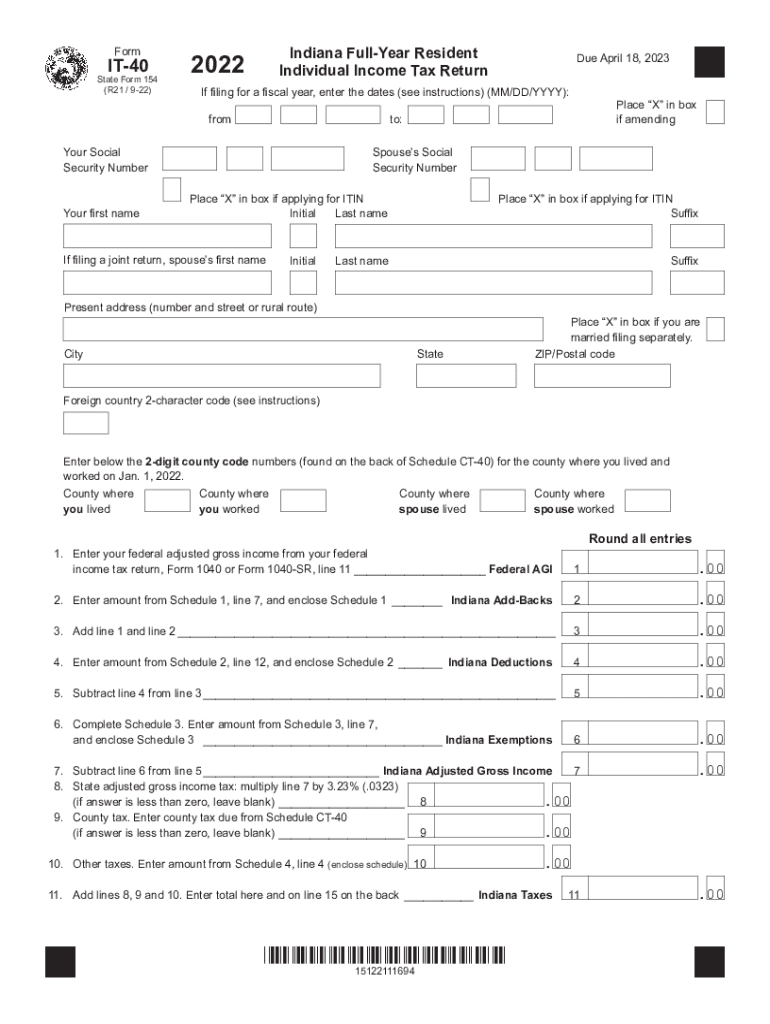
In box if amending to: Your Social Security Number Your first name Due April 18, 2023 Spouse s Social Security Number Place X in box if applying for ITIN Initial Last name If filing a joint return, spouse s first name Initial Place X in box if applying for ITIN Suffix Last name Suffix Present address (number and street or rural route) City State Place X in box if you are married filing separately. ZIP/Postal code Foreign country 2-character code (see in.
Loading

Open form follow the instructions

Easily sign the form with your finger

Send filled & signed form or save
How to fill out the IN DoR IT-40 online
The IN DoR IT-40 is the individual income tax return form for full-year residents of Indiana. This guide provides clear, step-by-step instructions for users to successfully complete and submit this form online, ensuring compliance with state tax regulations.
Follow the steps to complete the IN DoR IT-40 form online.
- Press the ‘Get Form’ button to obtain the IN DoR IT-40 and open it in your preferred online editor.
- Provide your personal information, including your first name, last name, and Social Security number in the designated fields. If applicable, include your spouse's information.
- Indicate your filing status by marking the appropriate boxes, such as whether you are married filing separately or amending a return.
- Fill out your present address, including street number and name, city, state, and ZIP code.
- Enter your federal adjusted gross income as reported on your Form 1040, specifically on line 11.
- Complete lines for Indiana add-backs from Schedule 1 and enter the total on the designated line.
- Calculate your Indiana adjusted gross income by subtracting Indiana deductions from your total income.
- Compute your state adjusted gross income tax by multiplying your Indiana adjusted gross income by the tax rate of 3.23%.
- If applicable, enter details for county tax based on the latest Schedule CT-40.
- Sum all calculated taxes and credits, ensuring to reference any additional schedules you are enclosing.
- Finalize your form by reviewing for accuracy, and proceed to save any changes made. You can then download, print, or share your completed IN DoR IT-40 as needed.
Complete your IN DoR IT-40 form online today for a smooth filing experience.
Experience a faster way to fill out and sign forms on the web. Access the most extensive library of templates available.
Related content
When filing, you must include Schedules 3, 7, and CT-40, along with Form IT-40. You must...
universities are allowed a credit against their Indiana state adjusted gross income tax...
Since the chroma for porcupine[7] is about a quarter tone, I'll use ^/v for that....
Use professional pre-built templates to fill in and sign documents online faster. Get access to thousands of forms.
If you believe that this page should be taken down, please follow our DMCA take down process here.