Loading
Get Sc Dor L-2172 2022-2026
How it works
-

Open form follow the instructions
-

Easily sign the form with your finger
-

Send filled & signed form or save
How to fill out the SC DoR L-2172 online
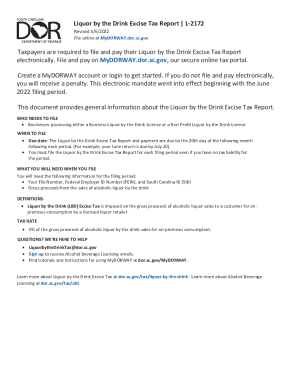
Filing the SC DoR L-2172, also known as the Liquor by the Drink Excise Tax Report, is essential for licensed liquor retailers in South Carolina. This guide provides clear and concise steps to assist you in completing the form online.
Follow the steps to complete the SC DoR L-2172 online effectively.
- Click the ‘Get Form’ button to access the SC DoR L-2172 and open it for editing.
- Provide your File Number, Federal Employer ID Number (FEIN), and South Carolina ID (SID) where prompted on the form.
- Indicate your gross proceeds from alcoholic liquor sales to consumers for on-premises consumption in the appropriate section.
- Calculate the excise tax by applying the 5% tax rate to the total gross proceeds of alcoholic liquor sales, and enter the result where required.
- Review all entries for accuracy and completeness to ensure your submission is correct.
- Finally, save your changes, download the filled form, print it, or share it as needed.
Start completing your SC DoR L-2172 online today!