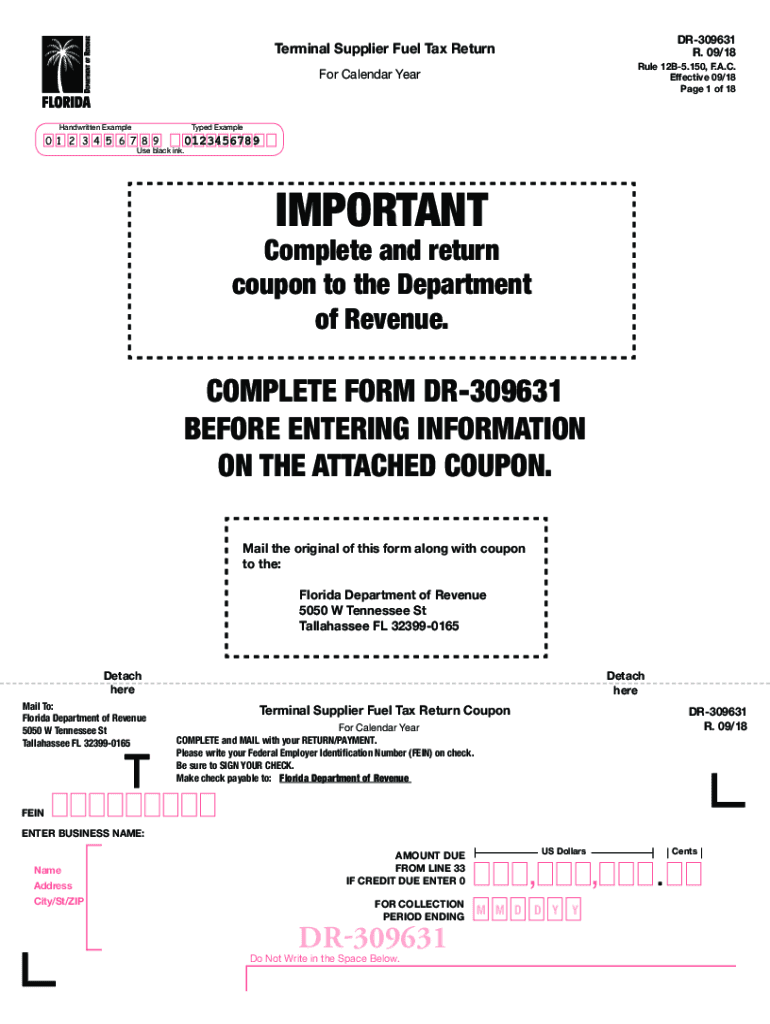
DR309631 R. 09/18Terminal Supplier Fuel Tax Returnable 12B5.150, F.A.C. Effective 09/18-Page 1 of 18For Calendar YearHandwritten ExampleTyped Example0 123 456 7 8 90123456789Use black ink.IMPORTANTComplete.
Loading

Open form follow the instructions

Easily sign the form with your finger

Send filled & signed form or save
How to fill out the FL DR-309631 online
Filling out the FL DR-309631 Terminal Supplier Fuel Tax Return online is a straightforward process if you follow the proper guidance. This form is essential for reporting fuel taxes and ensures compliance with Florida regulations.
Follow the steps to complete and submit the form online.
- Click ‘Get Form’ button to access the FL DR-309631 and open it in your preferred editor.
- Fill in the collection period ending date at the top of the form. This indicates the timeframe for which you are reporting. Make sure to use the format mm/dd/yyyy.
- Enter your Federal Employer Identification Number (FEIN) in the designated field to properly identify your business.
- Provide the business name, address, city, state, and ZIP code in the required fields. This information helps in locating your business in official records.
- Complete the sections regarding the total gallons received and disbursed. Carefully input the figures based on your records to ensure accuracy.
- Calculate the combined gasoline, diesel, and aviation fuel tax due, based on the guidelines provided in the form. Transfer the totals to the appropriate summary lines.
- Declare any credits that may apply to your tax return. Filling this section accurately can minimize your tax liability.
- Sign and date the form at the bottom. If applicable, ensure that the preparer's name and signature are also included.
- Review the entire form thoroughly for any errors or omissions before submission. Ensuring accuracy can prevent delays.
- Save your changes, and once finalized, print or download the completed form for your records. Follow any specific instructions to submit your return to the Florida Department of Revenue.
Take action now by completing your FL DR-309631 online to ensure timely filing.
Experience a faster way to fill out and sign forms on the web. Access the most extensive library of templates available.
Related content
Records 101 - 200 - 04588, (877) 351-3400, 24201 WALDEN CENTER DR OFC 3. ESTERO, FL 34134...
obtained from the Southwest Florida Water Management District and is subject to revision...
309189, 2007 DR 64, 21 de fevereiro de 2007, Kitt Peak, Spacewatch · HYG, 4,1 km...
Get answers to your most pressing questions about US Legal Forms API.
What does SAP HANA stand for?
SAP HANA (high-performance analytic appliance) is an application that uses in-memory database technology that allows the processing of massive amounts of real-time data in a short time. The in-memory computing engine allows HANA to process data stored in RAM as opposed to reading it from a disk.
What is SAP and how is it used?
SAP is an enterprise application software (EAS) suite that can be used to manage Enterprise Resources Planning (ERP) - this means that it helps organizations integrate different business units and partners. SAP offers businesses a unified platform to handle diverse databases.
What does SAP stand for in sales?
SAP Sales and Distribution (SAP SD) is a core functional module in SAP ERP Central Component (ECC) that allows organizations to store and manage customer- and product-related data. Organizations use this data to manage all of the sales ordering, shipping, billing, and invoicing of their goods and services.
What does acronym SAP stand for?
SAP is especially well-known for its Enterprise Resource Planning (ERP) and data management programs. SAP is an acronym for Systems, Applications and Products. Click the following link for SAP stock price updates and news.
What does SAP stand for?
SAP is especially well-known for its Enterprise Resource Planning (ERP) and data management programs. SAP is an acronym for Systems, Applications and Products.
What is new SAP?
5 New Features in SAP's Latest S/4HANA Release S/4HANA is an ERP software suite on top of SAP's HANA in-memory relational database. It can be run on SAP's managed private cloud platform, via AWS, Azure or GCP, or via an on-premises data centre.
When was SAP HANA released?
SAP HANA origins After several years of development at SAP, a prerelease version of SAP HANA was given to selected customers in October 2010. SAP released the first official version, SAP HANA 1.0, on June 18, 2011. SAP HANA 2.0 was released in 2017, with a variety of updated and new features.
What is new in SAP HANA?
SAP HANA 2 is the business data platform for the intelligent enterprise. ... SAP HANA 2.0 SPS 04 includes a mix of new and continuous innovations across the themes of database management, data management, analytical intelligence and application development.
How do I know what version of SAP HANA I have?
Using SAPGUI. From the System > Status , look for Database data. From here, you will get the Release. Using SAP HANA Studio. Once you logged in, right click on the system. Select Configuration and Monitoring > Open Administration. ... Using Command Line. Login to the operating system and execute the command, HDB version.
What is the latest version of Hana?
SAP HANA 2.0 SPS 04 Revision 040 is the latest release by Apr 17, 2019.
Use professional pre-built templates to fill in and sign documents online faster. Get access to thousands of forms.
If you believe that this page should be taken down, please follow our DMCA take down process here.