Loading
Get Fl Dor F-1065 2019-2026
How it works
-

Open form follow the instructions
-

Easily sign the form with your finger
-

Send filled & signed form or save
How to fill out the FL DoR F-1065 online
Filling out the Florida Partnership Information Return (FL DoR F-1065) online can streamline the process and ensure accuracy. This guide provides step-by-step instructions to help users navigate each section of the form with clarity and support.
Follow the steps to successfully complete the form online.
- Click ‘Get Form’ button to obtain the form and open it in the editor.
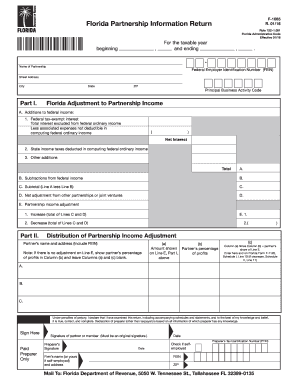
- Provide the name of the partnership and enter the Federal Employer Identification Number (FEIN) in the designated fields.
- Fill in the street address, city, state, and ZIP code of the partnership, ensuring all details are correct.
- Input the Principal Business Activity Code that applies to the partnership's activities in Florida.
- Move to Part II to distribute the partnership income adjustment by entering the partner's names and addresses, amount shown, and percentage of profits.
- If applicable, proceed to Part III to complete the Apportionment Information, detailing the averages for property, compensation, and sales based on the partnership's business presence.
- Fill out Part IV to detail the apportionment of each partner's share, using the percentages calculated in Part III.
- Ensure the form is signed by an authorized individual, as an original signature is required.
- Finally, save your changes, and choose to download, print, or share the completed form as needed.
Complete your documents online to ensure accuracy and efficiency in your tax filings.
Related links form
Unlike the default pass-through tax situation, when an LLC elects to be taxed as a corporation, the company itself must file a separate tax return. ... Florida's corporation income tax generally is a flat 5.5% of federal taxable income (with some exemptions). There is also an alternative minimum income tax.