Loading
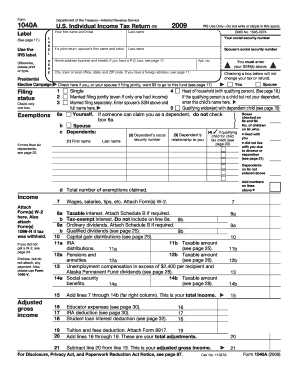
Get Irs 1040-a 2009
This website is not affiliated with IRS
How it works
-

Open form follow the instructions
-

Easily sign the form with your finger
-

Send filled & signed form or save
How to fill out the IRS 1040-A online
Filling out the IRS 1040-A form online can streamline your tax return process, making it more efficient and less stressful. This guide provides step-by-step instructions designed to help users navigate each section of the form with ease.
Follow the steps to successfully complete your IRS 1040-A form online.
- Click 'Get Form' button to start the process and access the IRS 1040-A form.
- Enter your first name, last name, and social security number in the designated fields. Ensure accuracy to prevent processing delays.
- If filing jointly, provide your spouse's first name, last name, and social security number.
- Fill in your home address, including any apartment number if applicable. If you have a P.O. box, additional instructions are provided on page 17.
- Indicate whether you wish to contribute $3 to the Presidential Election Campaign by checking the appropriate box.
- Select your filing status by checking only one box. Options include Single, Married filing jointly, Head of household, etc.
- Enter the number of exemptions you are claiming, based on the instructions provided in the form.
- Report your income, including wages, salaries, and other sources. Make sure to attach Forms W-2 and any other necessary documents.
- Calculate your adjusted gross income based on the income and adjustment fields.
- Complete the tax calculations section by entering the standard deduction and any applicable credits.
- Review your tax liability or refund amount, ensuring all calculations are accurate.
- Indicate your preferences for a refund, including whether you want it direct deposited, by filling in the routing and account numbers.
- Sign and date the form, and if applicable, have your spouse sign as well. Both signatures are required for joint returns.
- Once all fields are filled out, you can save changes, download, print, or share the completed form according to your needs.
Start filing your IRS 1040-A form online today to ensure a timely and accurate tax return.
Get form
Experience a faster way to fill out and sign forms on the web. Access the most extensive library of templates available.
The new law consolidated the forms 1040, 1040A and 1040EZ into one redesigned Form 1040 that all filers can use. For your 2018 taxes, which you file in early 2019, you will use this new 1040. That means you can no longer use the 1040A unless you are filing a return for tax year 2017 or earlier.
Get This Form Now!
Use professional pre-built templates to fill in and sign documents online faster. Get access to thousands of forms.