Loading
Get Nh Dor Bt-summary 2021-2026
How it works
-

Open form follow the instructions
-

Easily sign the form with your finger
-

Send filled & signed form or save
How to fill out the NH DoR BT-SUMMARY online
Filling out the NH DoR BT-SUMMARY form is a critical step in managing your business tax obligations. This guide will help you navigate the online process efficiently, ensuring that all necessary information is accurately submitted.
Follow the steps to complete the NH DoR BT-SUMMARY form online.
- Press the ‘Get Form’ button to access the NH DoR BT-SUMMARY form and open it for completion.
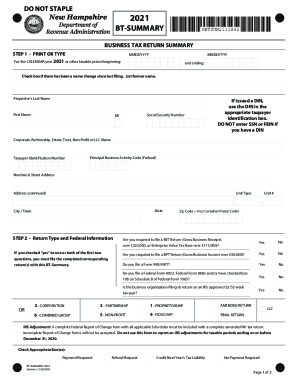
- Begin by entering the tax year or other taxable period you are filing for. Provide the calendar dates indicating the beginning and ending of this period.
- If applicable, check the box confirming there has been a name change since the last filing and list the former name.
- Enter the proprietor's last name, first name, and any middle initial. If a DIN has been issued, include it in the appropriate identification box.
- For business entities, input the corporate, partnership, estate, trust, non-profit, or LLC name, along with the taxpayer identification number.
- Fill in the principal business activity code as per federal guidelines and provide the complete address details including street, unit number, city, and zip code.
- Answer the questions regarding the filing requirements for the Business Enterprise Tax (BET) and Business Profits Tax (BPT), indicating whether a return is necessary.
- Complete the BET and/or BPT returns as required and ensure you attach them to the summary.
- Carefully calculate your balance due or overpayment, ensuring each line item is filled out with the correct amounts, including prior payments and additions.
- Review the declaration statement, sign where required, and provide your contact information along with your preparer's details if applicable.
- Once completed, make sure to save your changes, download a copy, or share the form as needed.
Begin your online filing of the NH DoR BT-SUMMARY today to ensure compliance and accurate reporting.