Loading
Get Irs 990-ez 2021
This website is not affiliated with IRS
How it works
-

Open form follow the instructions
-

Easily sign the form with your finger
-

Send filled & signed form or save
How to fill out the IRS 990-EZ online
Filing the IRS 990-EZ form is essential for tax-exempt organizations to report their financial information. This guide provides clear, step-by-step instructions to help users successfully complete the form online.
Follow the steps to fill out the IRS 990-EZ form seamlessly.
- Click ‘Get Form’ button to access the IRS 990-EZ form and open it in your online editor.
- In section A, fill in the calendar year for which the return is being filed. Enter the organization’s name as it appears on official documents.
- Check the appropriate box in section B if applicable to indicate whether it is an initial, final, or amended return. Also, provide the employer identification number in section D.
- Complete the address details in section E, ensuring to include the correct city, state, and ZIP code.
- Select the accounting method in section G, indicating whether it is cash or accrual.
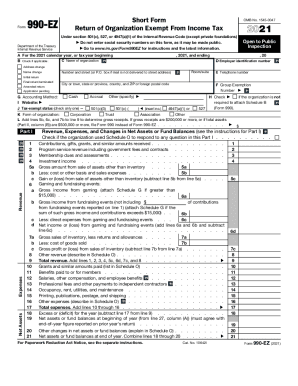
- Fill out Part I by entering revenue, expenses, and changes in net assets. Be sure to follow the instructions for each line item and consult the help icons for additional guidance.
- In Part II, provide a balance sheet by reporting assets, liabilities, and net assets at both the beginning and end of the year.
- Part III requires a concise description of the organization’s program service accomplishments for its three largest programs.
- List officers, directors, trustees, and key employees in Part IV, ensuring to report hours worked and compensation details.
- Complete Part V by answering questions related to significant activities and changes, providing accurate information as necessary.
- Finally, review all entries for accuracy. Save your changes and choose to download, print, or share the completed IRS 990-EZ form as needed.
Encourage other organizations to complete their documents online for efficiency and accuracy.
Get form
Experience a faster way to fill out and sign forms on the web. Access the most extensive library of templates available.
Mail your return to the Department of the Treasury, Internal Revenue Service Center, Ogden, UT 84201-0027. If your organization's principal business, office, or agency is located in a foreign country or a U.S. possession, send the return to the Internal Revenue Service Center, P.O. Box 409101, Ogden, UT 84409.
Get This Form Now!
Use professional pre-built templates to fill in and sign documents online faster. Get access to thousands of forms.