Loading
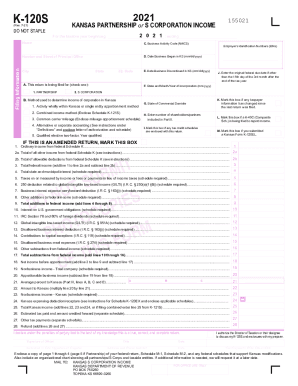
Get Ks Dor K-120s 2021-2026
How it works
-

Open form follow the instructions
-

Easily sign the form with your finger
-

Send filled & signed form or save
How to fill out the KS DoR K-120S online
Filling out the KS DoR K-120S form online can streamline the process of reporting partnership or S corporation income for Kansas tax purposes. This guide provides a detailed overview of each section and field of the form, ensuring you complete it accurately and efficiently.
Follow the steps to complete the KS DoR K-120S online.
- Click ‘Get Form’ button to obtain the form and open it in the editor.
- Enter the beginning and ending dates of the tax year. Even if it is a calendar year, this information is essential for the tax records.
- Provide the name and address of the entity clearly printed or typed, ensuring accuracy.
- Input the federal Employer Identification Number (EIN) for your partnership or S corporation.
- Indicate whether the return is for a partnership or S corporation by marking the appropriate box.
- Select the method used to determine income for Kansas, choosing the correct option based on your entity's structure and operations.
- Fill in the NAICS code specific to your business activities to classify your entity correctly.
- Complete all requested information for Items A through M, including necessary dates of business establishment and any relevant changes.
- Report federal ordinary income and total other income from federal Schedule K, following the specified line instructions carefully.
- Calculate and input the total deductions from Schedule K to arrive at the necessary totals for state reporting.
- Continue through all sections and calculations as guided by the form instructions, making sure to include any applicable schedules and adjustments.
- Finally, review the form for accuracy before signing and submitting. You have the option to save changes, download, print, or share the form as needed.
Complete your KS DoR K-120S form online today for accurate and efficient tax reporting.