Loading
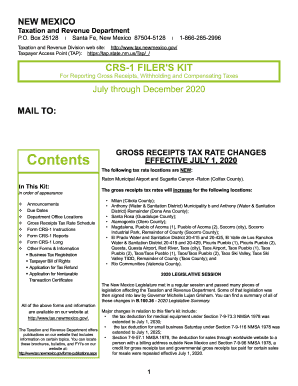
Get Nm Trd Crs-1 2020
How it works
-

Open form follow the instructions
-

Easily sign the form with your finger
-

Send filled & signed form or save
How to fill out the NM TRD CRS-1 online
This guide provides comprehensive, step-by-step instructions for completing the New Mexico Combined Reporting System (CRS-1) form online. Designed for users with varying levels of experience, this resource aims to facilitate the filing process while ensuring compliance with New Mexico's tax regulations.
Follow the steps to complete the NM TRD CRS-1 form online.
- Click the 'Get Form' button to access the NM TRD CRS-1 form and open it for editing.
- Enter your business name in the designated field at the top of the form. Ensure that this name matches the registration records with the New Mexico Taxation and Revenue Department.
- Provide your CRS ID number. This unique identifier is essential for processing your tax return and should match the number on your registration certificate.
- Fill in the address fields, including mailing address and physical address. Ensure that all information is accurate and up-to-date, as it will be used for correspondence.
- Select the reporting period by filling in the start and end dates. This information determines the timeframe for the gross receipts being reported.
- In the gross receipts section, report your total gross receipts for the period. Be sure to exclude any taxes or deductions. Provide detailed receipts if necessary.
- Declare any deductions you wish to apply. Each deduction must be substantiated with appropriate documentation as specified in the instructions.
- Review your entries for accuracy and completeness. Ensure each column is properly filled out as an incomplete form can delay processing.
- Choose your payment method. If applicable, designate whether you will be paying via electronic payment options or other specified methods.
- Sign and date the form. Ensure your signature matches the name provided at the top of the form and indicate your title if applicable.
- Submit the form. Make sure to save changes before submitting online. After submission, keep a copy of the completed form and proof of payment for your records.
Start filing your NM TRD CRS-1 form online today to ensure timely and accurate reporting of your taxes.
Get form
Experience a faster way to fill out and sign forms on the web. Access the most extensive library of templates available.
If you are already registered with the New Mexico Taxation and Revenue Department,, you can find your CRS Identification Number and filing frequency online or on correspondence from the New Mexico Taxation and Revenue Department.
Get This Form Now!
Use professional pre-built templates to fill in and sign documents online faster. Get access to thousands of forms.